


How to Change and Hide Birthday on Facebook
Table of Contents


If you want to manage who gets the notification about your birthday on Facebook, hide it so that no one will see it, or even change the date, you can do that easily.
If you want to make your birthday on Facebook private or change and manage the type of people who see it, you can do that using the mobile app or the Facebook website.
How to Change Your Birthday on Facebook
Everyone can change his or her birth date, which they added to their Facebook account, but you have to know that there is a limit to the number of times you change your birthdate on Facebook, and if it has been changed recently, then you have to wait for some time before you can change it again.
Also Read: 6 Steps on How to Find and Copy Facebook URL
Below are the guidelines to follow if you want to change your date of birth on Facebook:
- Log in to your Facebook account. (either through the mobile app or Online)
- Tap on your profile picture in the top right corner of your Facebook account
- Click on the profile you want to change your date of birth on
- Click on Settings and Privacy, then click on Setting


- Click on Account Centre, then Personal details
- Proceed to Click on Change Date of Birth
- Click on Edit to edit or change the date of birth
- After you have edited it, click on Save to confirm the change
Also, See How to create a professional Facebook profile [ Follow the 4 steps]
How to Hide Birthday on Facebook
You can hide your birth date or regulate who sees it on Facebook through two methods:
- Through the Facebook app
- Through web.facebook.com
below are the steps to follow for each of the methods you prefer.
Checkout: How to Invite People to Like a Facebook Page Using Your Phone [Follow the 5 Steps]
How to Hide Birthdate through the Facebook app
Here are the procedures to follow if you wish to hide your birth date through the Facebook app:
- open the app
- tap on your profile
- Select your name
- Click on See About Info
- Click on Basic Info
- Go to Edit profile.

- Move on to click on the gear icon on the same line as the Birthday inscription.
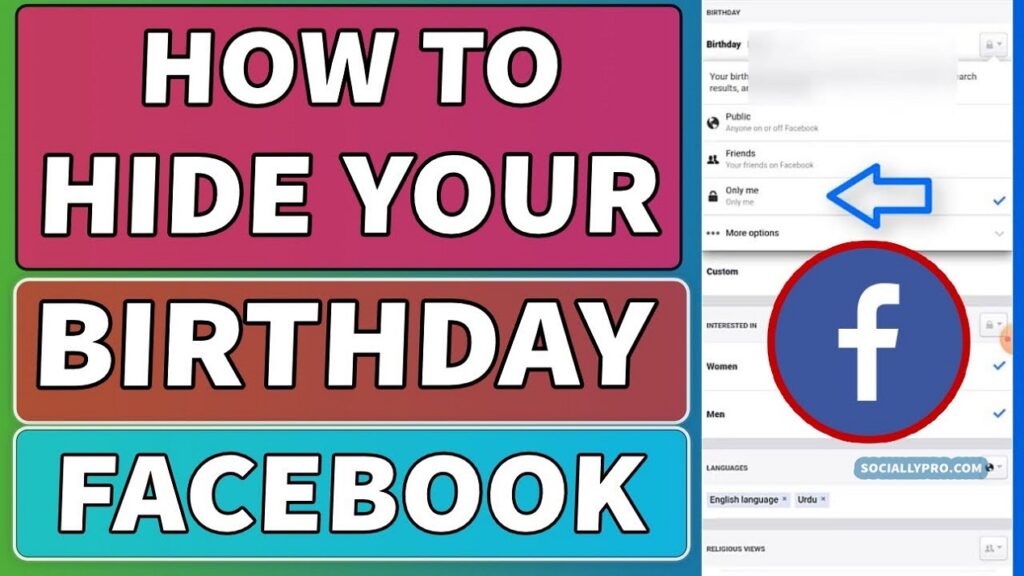
- Click on Only Me to hide your birthday from others on Facebook.
Recommended: How to Make Money on Facebook [8 Simple STEPS]
How to Hide birth date through the web.facebook.com
Below are the guidelines you can heed if you wish to conceal your birthdate using web.facebook.com:
- Open a web browser to access the web.facebook.com from it
- Log in to your account
- On the top-right corner of the page, click on your profile picture and name. This will take you to your profile.
- Click the About, select Contact and Basic Info and click on it.
- Go to the Basic Info section and click on the gear icon on the same line with the inscription Birth date.
- Click on the Select Audience to regulate who can see your birthday by clicking everyone, friends, friends of friends or only me to hide it completely.
You may also like to read about:
- Facebook Marketing Strategies, Tips and Ideas
- Top 8 Nigerian Celebrities That Have the Highest Number of Followers on Social Media Platforms
- 13 Benefits of Using Social Media in the Educational Sector
- Email Marketing Campaigns: 10 Types of Email Marketing Campaigns to Increase your sales
- 6 Steps on How to Free Up Space in Telegram with Your Phone
- How to change Telegram default storage to SD card [ Follow the 5 Steps]