


How to Check MTN Data Balance (The New Way)
Table of Contents
As an MTN subscriber, you wish to stay connected with friends in the digital world and enjoy all the internet offers without interruption. However, you cannot do that effectively without knowing your data balance.
There are different ways to check data balance, which are very effective, including the NCC’s new shortcut for checking MTN data balance. You can easily use these methods and be assured of their accuracy and effectiveness.
Also Read
- How to enable Data Saver mode on Android [follow the 4 Steps]
- How to check your data usage on Android devices [ 6 Easy Steps]
- Data Security Facts; 10 Facts You Need to Know about Data Security
Keep reading to learn more about the methods of checking your MTN data balance.
How to Check My MTN Data Balance
These are the different methods of checking Your MTN data balance simply.
- Check data balance by using USSD codes
- Check data balance by using the SMS method
- Through the myMTN app download
- Check data balance via the MTN website
- Check it through Zigi


Method 1: Check data balance by using USSD codes
You can check MTN data balance by dialling the new NCC-approved code (3124# for checking the main data bundle and bonus, or you can also dial *310#)


Also Read
- USSD and Transfer Codes For all Banks: A guide to easy Banking
- Uniform Codes For All Networks: NCC Approves Same USSD Codes For All Networks
- Check BVN with these two simple steps -Mobile phone USSD code is best
Method 2: Check data balance by using the SMS method
This is another way to check your MTN data balance. Send 2 to 312 and receive your data balance in an SMS.
Method 3: Check through the myMTN app download
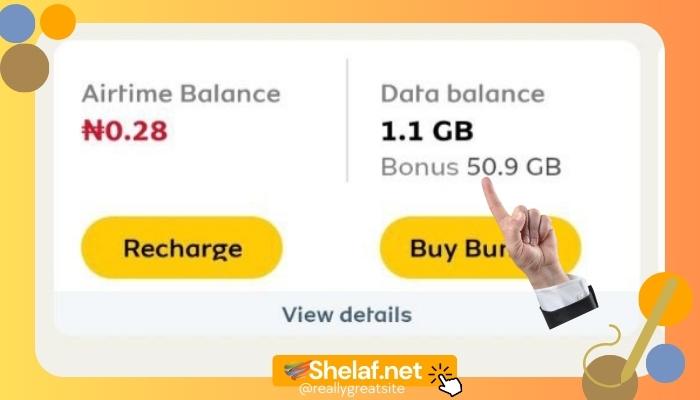
You can download the MTN app and use it to check your data balance
- Type ” myMTN App” in an SMS and send it to 5018.
- An SMS will be sent to you with a link to download the app ( myMTN App).
- Go ahead to download and install the app.
- Then, you can use it to check your MTN data balance.

Related
- How to Check Your Number on MTN: No. 1 is the Easiest
- MTN Tariff Plan: Migrate to the MTN Pulse Tariff Plan with these 4 Easy Steps
- How To Subscribe To MTN 1.5gb For N300 Valid For 7 Days: Use The Code
- Mobile App Security: 13 Tips on How to Perfectly Secure Your Mobile App from Hackers and Virus Attacks
Method 4: Check data balance via the MTN website
You can also check your data balance through the website, click on the MTN official website and perform any task you wish.
Method 5: Check it through Zigi (MTN chatbox)
You can check your MTN data balance by chatting with Zigi. It is a Chatbox owned by the MTN company that you can use to check data balance, buy data, make airtime purchases and much more. Here are the steps to follow:
- Go to the MTN Website
- Click on the chat section or the contact section
- Or you can chat with Zigi on any channel you prefer (Facebook, Whatsapp, Telegram or the web)
Recommended
- How to stop WhatsApp file auto download for Android users (images, audio and videos)
- 4 Steps on How to Create a WhatsApp Call Link
- 4 Steps on How to Clear your WhatsApp call log on Phone
- How to Send View Once Photos and Videos on WhatsApp [ Follow the 4 Steps]
- How to Change WhatsApp Number Without Losing Chats [Follow the eight simple steps]
- Start a conversation by saying hello to Zigi
- Provide your Phone number when asked
- After that, you tap on the enquiry menu
- Select data balance to see your MTN data balance

As an MTN user, you can now easily check your MTN data balance using the abovementioned methods.