


How to set up a Standing order
Table of Contents
Similar to the Direct Debit, standing order is a payment metghod that you can use to send money to another bank account or to your fixed account. One can use a Standing order to pay rent, bills and also pay money into your fixed deposit account.
It allows the bank to make payment from you account into another account on a specific date. such payment may include:
- Regular donation to a charity
- making fund transfers between your account
- Regularly sending money to a family member or a friend
- Payment of rent or mortgage etc.
Also Checkout:
- The USSD and Transfer Codes For all Banks; A guide to easy Banking
- Checking Your BVN Online: How to Check Your BVN Both in your Banks and Mobile Network
How to Set Up a standing Order
You can easily setup a standing order using your phone, online banking app or filling a form in your local bank branch through this steps:
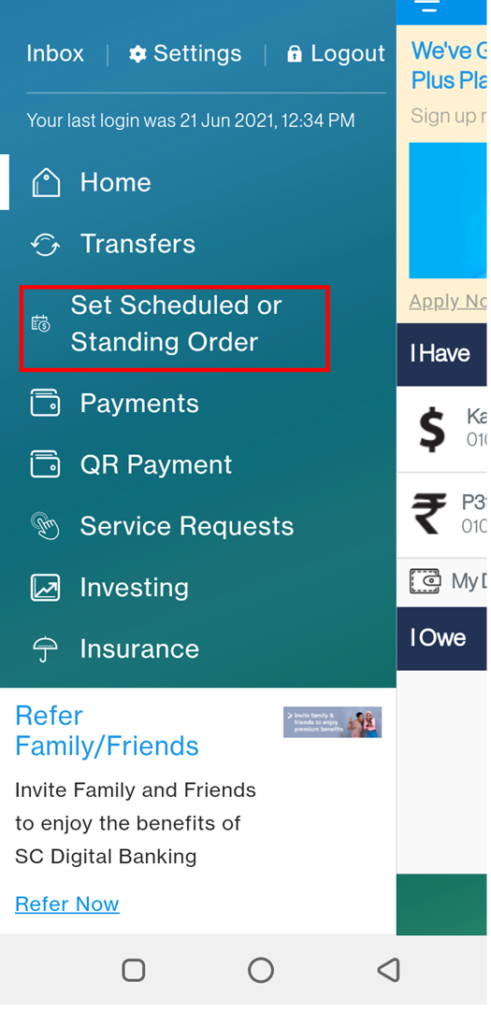

Set up Standing Order through the Internet Banking Service
If you are setting the Standing order online,
- Log in to your account
- Click on More actions on the right hand side panel
- Next, you click on Direct Debits and Standing Orders
- After that, you choose the Setup a Standing Order button
- Select who you want to pay to (either an old reciepient or you add a new one)
- Put in the amount you wish to be paying and also the reference
- Choose when and how often you want to make the payment
- After that, the next step is to Confirm Standing order by clicking on the comfirm button
Recommended:
- GoTv subscription list and prices and 10 online payment methods
- Payment Processors for online Business -Top (5) Payment Platforms for Ecommerce sites
- HOW TO MAKE PAYMENT ON NYSC PORTAL with REMITA
- Check Out How to Start a Box Truck Business in 7 Steps
- See the 13 Box Truck Business Ideas To Start Now
- See The Top 10 Profitable Business Ideas to Start as a Student With Zero Capital
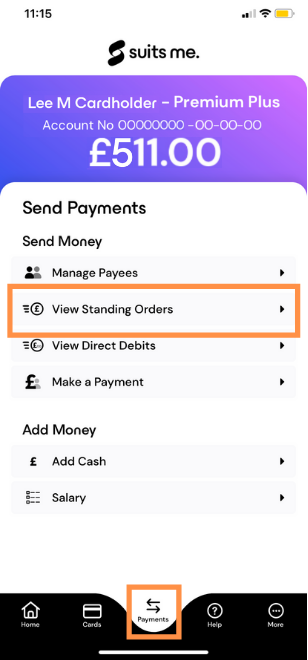

Setup a Standing Order through the Bank app
To setup a Standing order through the bank app, this is what you should do;
- log in to the bank app
- Choose payments and Transfer from the options given
- Click on Pay or move money
- Put in the account that youwould use for paying the Standing Order
- Choose the account that you would like to pay the money into
- Select the reciever
- enter the amount
- Click on Standing Order button to set up and pay
To Setup a Standing Order through the bank branch
simply visit the bank barnch and fillout the form thjat will be given to you
To change or cancel Standing order online, simply login to your internet banking account -> More actions -> Direct Debit and Standing Order -> Manage standing Orders.
Your Standing order may not be paid on a scheduled date if you don’t have a sufficient fund in your bank account and in that case, the payment will wait till the next date and if you made the payment into nthe wrong account, contact the reciepient and you bank if it was not returned.