


How to Check if your National Identification Number (NIN) was successfully linked to your SIM (For All Networks)
Table of Contents
Have you linked your NIN to your mobile network but are unsure whether it has been linked successfully? You can check if it has been linked; to do that, we have provided the procedures you will follow. You can check yours whether you are an MTN subscriber, airtel, glo or 9mobile subscriber.
Keep reading to learn more!
How to Check if your NIN was successfully linked to your SIM (For MTN, Airtel, Glo, 9mobile)
Perhaps you may not be sure if your NIN was linked successfully, and also, because you do not want your line to be barred, you are searching for the procedures you will follow to verify if it was linked successfully.
Also Read
- Uniform Codes For All Networks: NCC Approves Same USSD Codes For All Networks
- Top 10 CPA Marketing Networks for Beginners
- Top 10 CPA Marketing Networks for Beginners
- Checking Your BVN Online: How to Check Your BVN Both in your Banks and Mobile Network
Below are our guides to verify your NIN-SIM linkage in all networks; check it out to get uninterrupted communication.
How to Check if your NIN was successfully linked to your SIM (MTN)
You can check the status by dialling one of the USSD codes. These are the steps to follow:
- Dial *996# your MTN mobile number
- You will see six options; choose option 4 and send
- You will also see two more options; choose option 1 and send
- You will see a notification which reads thus: Dear Customer, NIN *******7221 is linked to your phone number 0812725****


you can also follow these steps. They also workout
- Dial *785#
- Put in your eleven-digit National Identification Number.
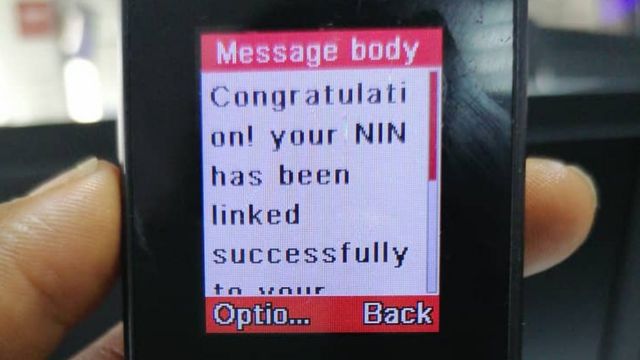
- You will receive a message indicating that it has been linked successfully.
- You can keep trying the code till you are given a response if there is no response.

If the message reads otherwise, you can read this article to learn how to link it: How to Link Your NIN to Your MTN Mobile Phone Number: 4 Easy Steps to Follow.
How to Check Your Number on MTN: No. 1 is the Easiest
MTN Tariff Plan: Migrate to the MTN Pulse Tariff Plan with these 4 Easy Steps
This is the best way to verify your NIN status as an MTN subscriber.
How to Check if your NIN was successfully linked to your SIM (Airtel)
As an Airtel subscriber, these are the steps to verify your NIN status:
- Dial *121*1#
- You will receive a notification that it has been linked successfully, but if you do not accept such, keep trying the code or contact the NIMC office for help.
Also, See
- How To Check NIN And Link National Identity Number To more than 1 Sim
- PayPal Money Transfer: How to Send and Receive Money Through PayPal In Nigeria
- Check BVN with these two simple steps -Mobile phone USSD code is best
- How To Remove a Private Number On Your Phone: Use the Code or The 7 Steps Provided
You can also link it back. Here are the guidelines to follow: How to Link Your NIN to Your Airtel Mobile Phone Number
How to Check if your NIN was successfully linked to your SIM (Glo)
As a Glo subscriber, this is how to Check your NIn status:
- Dial *109# on your Mobile Phone
- Enter your 11-digit National Identification Number
- Or you can send the number via 109
- Either way, you will receive a message that it was linked successfully or not.
If the response is Negative, here are the steps to link it back: How to Link Your NIN to your Glo Mobile Phone Number: 4 Simple Methods
Recommended
- Ad Networks -TOP 10 Ad Networks For Your Website
- How to Retrieve your National Identification Number (NIN) with Your Mobile Phone: the sure way
- How to Get JAMB Profile Code: A Step-by-Step Guide
How to Check if your NIN was successfully linked to your SIM (9mobile)
- You can dial *200*8# on your mobile Phone
- You will see two options, which are to either verify it or link it
- Choose the first option (option 1) to verify and send
- You will receive a notification about the status, whether verified or not.
Checkout
- 9mobile Data Code That Works This Year
- How to Change YouTube Email Address [ Follow The Simple Steps]
- How to schedule an email in Gmail on the Phone ( 5 Simple Steps to Follow)
- 3 Steps on How to Set a Different Ringtone For Each SIM in Your Phone
These are the procedures to link your National Identification number if not linked: How to Link Your NIN to Your 9mobile Phone Number.