


How to Link Your NIN to Your Airtel Mobile Phone Number
Table of Contents
Linking your NIN to your Airtel Mobile phone number is a compulsory process, provided that you are a Nigerian and an Airtel subscriber; it can be used to track and verify the identity of every mobile network subscriber.
Also Read
- How to Link Your NIN to Your Glo Mobile Phone Number: 4 Simple Methods
- How to Link Your NIN to Your MTN Mobile Phone Number: 4 Easy Steps to Follow
- How to Check MTN Data Balance: 5 easy ways
Your NIN (National Identification Number) is an 11-digit number that bears all your biodata, and recently, the Nigerian Communication Commission has mandated all mobile network subscribers to link their NIN and has specified a deadline which may result in blockage of your sim card if your NIN is not linked to your airtel mobile number before that day.
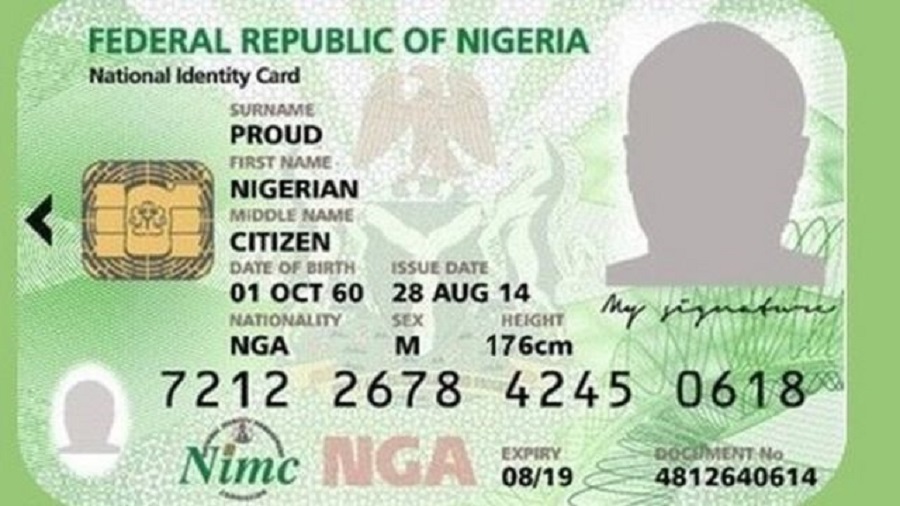

Are you looking for the procedures for linking your NIN to follow so that your Airtel mobile sim won’t be blocked? Keep reading; that is what we have prepared for you!
How to Link Your NIN to Your Airtel Mobile Phone Number
There are three methods of linking your NIN to your Airtel mobile number, which works out well for all its subscribers. These methods include:
- How to link your NIN using the USSD code method
- How to link your NIN to your Airtel line online
- How to link your NIN through the NIMC mobile ID App
Also, See
- USSD and Transfer Codes For all Banks; A guide to easy Banking
- Uniform Codes For All Networks: NCC Approves Same USSD Codes For All Networks
- Check BVN with these 2 simple steps -Mobile phone USSD code is best
Here are the details.
How to link your NIN using the USSD code method
You can link your NIN to your Airtel line when you dial 1211# on that mobile phone number that you want to link.

Related:
- 9mobile Data Code That Works This Year
- How to Check JAMB Mock Result: The Guidelines to Follow
- How to Check Your Number on MTN: No. 1 is the Easiest
How to link your NIN to your Airtel line online
To link Your NIN online, these are the steps to follow:
- Visit the Airtel NIN portal at www.airtel.com.ng/nin/
- Put in your Airtel number, whether for a MiFi, Router, ODU or mobile number
- Click on Proceed to be sent an OTP
- Enter the OTP sent to you and click on proceed
- Put in your Nationa Identification Number to complete the steps.
Checkout
- The Two telecom issues the Nigerian Government must settle in 2024
- PayPal Money Transfer: How to Send and Receive Money Through PayPal In Nigeria
- Mobile App Security: 13 Tips on How to Perfectly Secure Your Mobile App from Hackers and Virus Attacks
- How to set a Direct Debit for the payment of bills
How to link your NIN through the NIMC mobile ID App
There is another way to link your NIN to your Airtel line, to perform the tasks on the NIMC mobile ID; here is what you’ll do:
- Get the mobile ID app from the Google Play Store or the Apple store
- Put in your 11-digit NIN; you will receive an OTP.
- Also, enter that OTP for further verification.
- Click on My Device.
- Enter your mobile number.
Recommended
- How to Set up a Standing Order with 3 Easy Methods
- How to Retrieve a lost Remita receipt the easy way
- MTN Tariff Plan: Migrate to the MTN Pulse Tariff Plan with these 4 Easy Steps
- Android Secret Codes to Get Hidden Features on Your Mobile Phones
This process is free and will not take more than five minutes to link your NIN to your Airtel line. If you tried these three methods but are not getting a positive response, you may not have updated your SIM registration correctly—there are some internet network errors.
You can visit any Airtel sim registration centres near you for help.