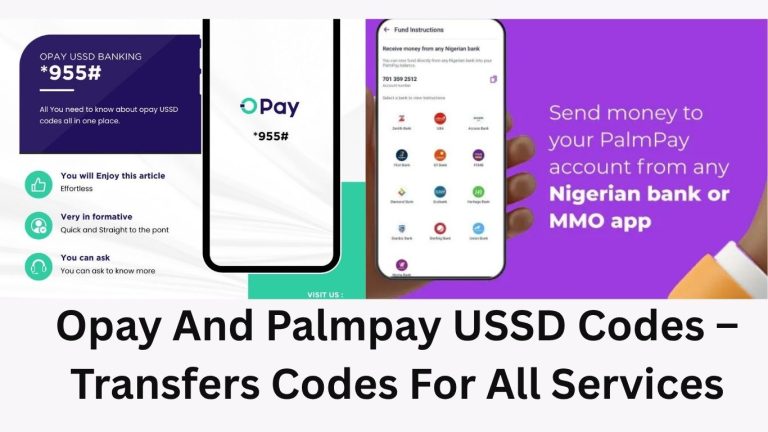
Opay And Palmpay USSD Codes – Transfers Codes For All Services
Table of Contents
Opay and Palmpay are the most popular online banking systems and mobile payment platforms in Nigeria, making online and virtual banking seamless for Nigerians and Africans.
The new banking system has revolutionised the financial system in Nigeria; individuals can carry out their transactions from anywhere in the world.
The OPay and PalmPay USSD codes have made banking easier for Nigerians and Africans. No matter your location, you can send, transfer money, and carry out other banking transactions without necessarily going to the bank.
All it requires is your phone and a network connection from your registered phone number. These online banking platforms are advancing every day and making life easy for users without any hidden fees or charges.
Using online banking platforms like OPay and Palmpay, you can send and transfer money conveniently from your location with no additional charges. The customer support is also very reliable and responds quickly to customer complaints.
What Are Opay And Palmpay USSD Codes
The Opay and palmpay ussd codes are codes that gives customers and clients access to banking services without internet connection. The ussd codes cvan be used on small phones and smartphones.
You can dial the USSD codes for quick, secure, and fast transactions, such as transfers, buying airtime, data, and checking your account balance. To use the USSD codes for any of these banks, you need to first create an account with them.
Functions Of OPay And Palmpay USSD Codes
The key functions of USSD codes are to make transactions and banking easy and accessible to users. By using Opay and Palmpay USSD codes, you can gain access to services such as:
Money transfer: you can send money to other Opay and Palmpay accounts or external bank accounts
Balance enquiry: With Opay and Palmpay USSD codes, you can quickly check your account balance
Airtime purchase: you can use the codes to recharge your phone number or for friends and family across all networks
Bill Payments: This code allows you to conveniently pay for utilities and other services without having to visit their office.
Loan Applications: You can also apply for quick loans without the need for an app or going to a physical bank
How to Activate Opay and Palmpay USSD Codes
To start using the Opay and Palmpay USSD service, users need to follow the steps below:
Register with Opay and Palmpay: New users must first download the Opay and Palmpay app, available on iOS and Apple Store, or visit the official website to create an account.
Link a Phone Number: Ensure that the mobile number you use is registered and linked to your Opay and Palmpay accounts.
Activate USSD Service: Simply dial the Opay and Palmpay activation code from your registered number, and follow the prompts to activate the USSD banking features.
Opay USSD Transfer Codes For All Banking Transactions

| Function Of The Codes | Opay USSD Codes |
| General Ussd Code For Opay | *955# |
| To Check Account Balance | *9550# |
| To Receive OTP (One Time Password) | *955010# |
| To Transfer To Another OPay Account | *9551*Amount *Recipient Phone Number# |
| To Transfer Money To Other Banks | *9552*Amount*Account Number# |
| To Buy Airtime For Self | *9553*Amount# |
| To Buy Airtime For Others | *9553*Amount*Recipient Phone Number# |
| To Buy Data For Self | *9554*Amount# |
| To Buy Data For Others | *9554*Amount*Recipient Phone Number# |
| To Pay For Bills ( Electricity Bills) | *9556# |
| To Fund Betting Account | *9555# |
| To Block the Opay Account | *955131# |
| To Block the OPAY Card | *955132# |
| To Activate OPay Card | *955013121# |
| To Withdraw Money From An OPay Agent | *955# And Select The Option You Need |
| To Create an OPAY Account | *955# Then Enter Your Details |

Palmpay USSD Transfer Codes For All Banking Transactions
| The Function Of The Codes | Palmpay USSD Transfer Codes |
| The General USSD Transfer Code For Palmpay Is Two | *861# And *652# |
| To Transfer Money | *652#, Choose ‘Transfer |
| To Buy Airtime | *652#, Select ‘Buy Airtime |
| Check Balance | *652#, Select ‘Check Balance |
| Transfer From Access Bank To Palmpay | 901 Amount*Account Number# |
| Transfer From GTBank To Palmpay | 73722# |
Benefits of Using OPay and Palmpay USSD Code
The primary benefits of using Opay and Palmpay USSD service include:
Accessibility: Ensures access to financial services without requiring internet connectivity.
Convenience: Offers a quick and user-friendly way to manage finances on the go.
Security: Safeguards users’ financial information with secure encryption and PIN protection.
You Might Have Questions Like
What Fees Are Associated with Using OPay and PalmPay USSD Services?
Most Opay and Palmpay USSD transactions are designed to be cost-effective, while some of these services may include no fees at all. These fees depend on the type of transaction and are displayed during the process. For specific fee details, refer to the Opay and Palmpay apps or contact customer support.
2. Are There Any Transaction Limits When Using OPay and PalmPay USSD Codes?
Yes, Opay and Palmpay impose transaction limits depending on the account verification level, which aligns with the KYC standards. The limits are set for various transaction types, including transfers, withdrawals, and payments, both in terms of the amount per transaction and the cumulative daily amount. This is meant to prevent fraud
3. Can I Access OPay and PalmPay USSD Services Without an Account?
No, to use Opay and Palmpay USSD services, you must have an active Opay and Palmpay account linked to the mobile number that initiates the USSD transaction. This ensures that transactions are secure and tied to your identity.
4. How Can Failed Transactions Be Solved When Using Opay And Palmpay Codes?
First, ensure that you have a strong network signal and sufficient funds in your account. If the transaction still fails, double-check the accuracy of the information you entered. If issues persist, contact Opay and Palmpay customer support for further assistance.
5. How Can I Resolve Network Issues When Using OPay and Palmpay USSD?
If you experience network problems during a USSD transaction, try finding a location with a better signal or wait until the network stability improves. Persistent network issues should be reported to your mobile service provider.
6. What Should I Do If I Enter Incorrect Information In A USSD Transaction?
If incorrect details are entered during a USSD transaction, you typically have the option to cancel before the transaction completes. Always review the information carefully before confirmation to avoid errors.
Conclusion
The introduction of Opay and Palmpay USSD codes for mobile transactions marks a significant stride toward expanding financial access in Nigeria and across Africa, enabling users to perform financial transactions with ease and security.
As the technology for digital finance continues to evolve, OPay and PalmPay maintain their competitive advantage, ensuring that every transaction is just a few taps away.