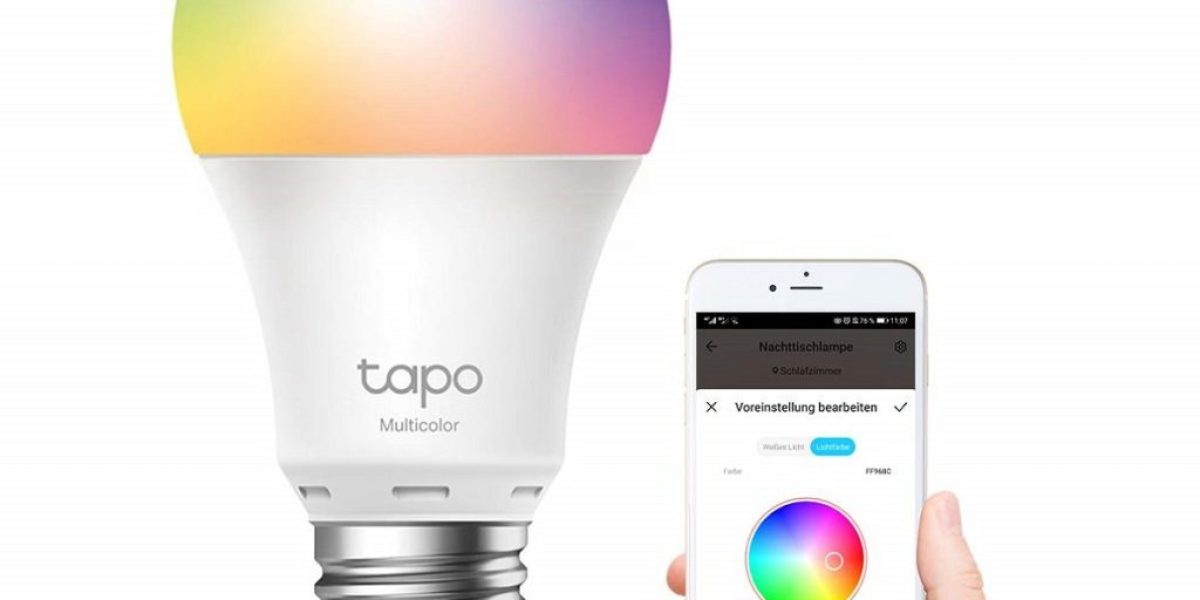
If you’re looking to enhance the ambiance of your home, smart lights are a fantastic addition. These modern lighting solutions not only make your living space more beautiful but also provide enhanced brightness. Controlling them through a hub or smartphone allows you to adjust the lighting from anywhere within your home easily.
This blog has compiled a list of the top-rated smart lights available, allowing you to choose the perfect option to give your home a dazzling and inviting atmosphere. Read through to find the ideal smart light for your needs and transform your living space.
Best Smart Lights For Your Home
Here are some top-rated smart lighting options for your smart home.
1. Philips Hue White and Color Ambiance
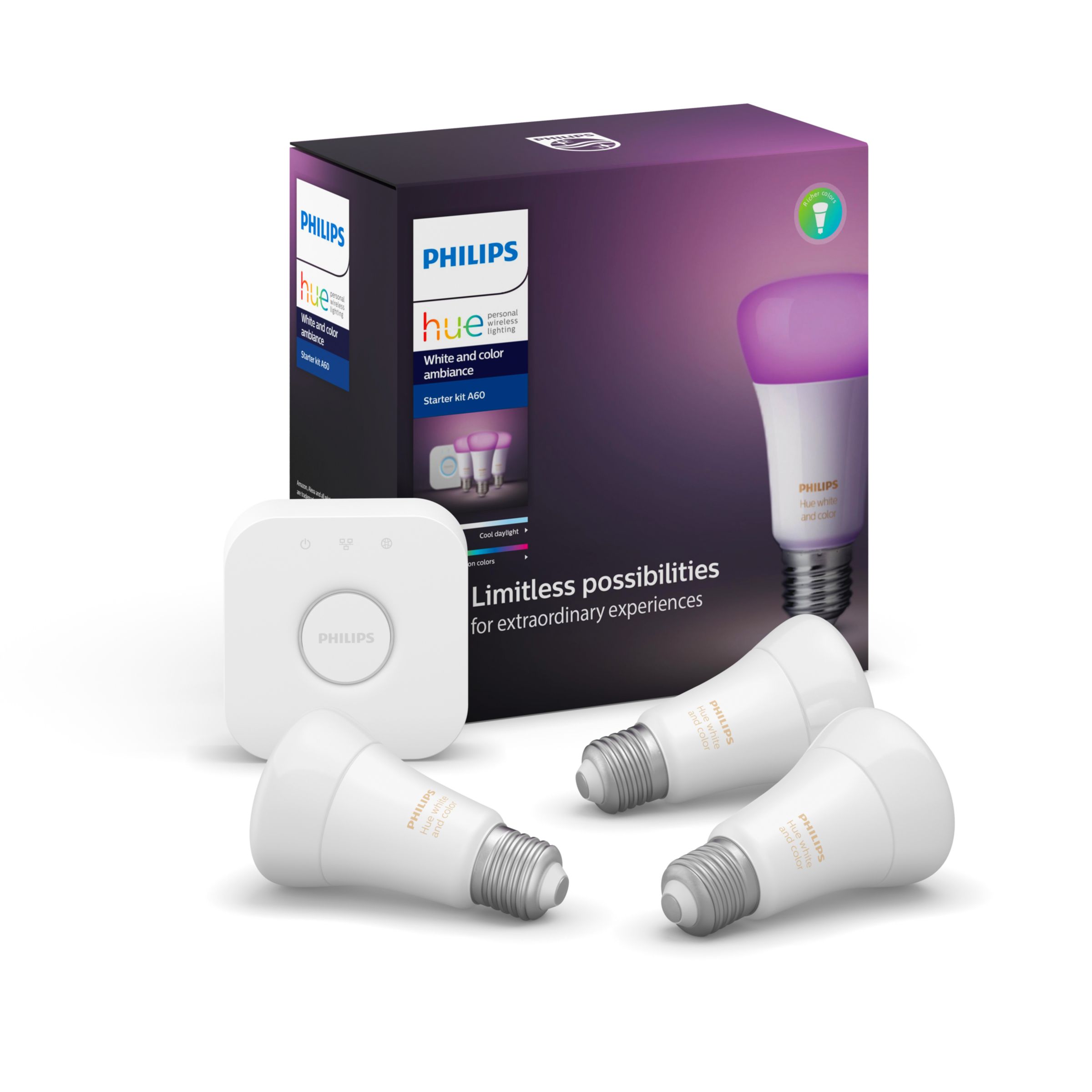
The Philips Hue White and Color Ambiance is the leading smart light option. It offers Bluetooth support, eliminating the requirement for a separate Hue Bridge. Its remarkable features include superior light quality, seamless dimming, and an extensive ecosystem that surpasses competitors in size and variety. Additionally, it seamlessly integrates with the HomeKit ecosystem.
Limits
Philips Hue products come with a higher price tag than other market options.
Bluetooth connectivity with Philips Hue limits the number of devices you can connect to just 10.
You must have the Hue Hub to assign Philips Hue devices to specific rooms.
2. Wyze Bulb Color
To the delight of many, the Wyze bulb is affordable and offers connectivity options via Wi-Fi and Bluetooth. Despite its affordable price, it still provides bright and vibrant illumination. Additionally, Wyze has introduced an exceptional BR30 colour smart bulb to its product lineup.
limits
The tunable white Wyze Bulb cannot be grouped with this option.
It is exclusively available as a 2- or 4-pack, limiting individual purchase options.
It does not rival Philips Hue in terms of the comprehensive lighting ecosystem it offers.
3. Philips Hue White Ambiance A19 (Bluetooth + Zigbee)
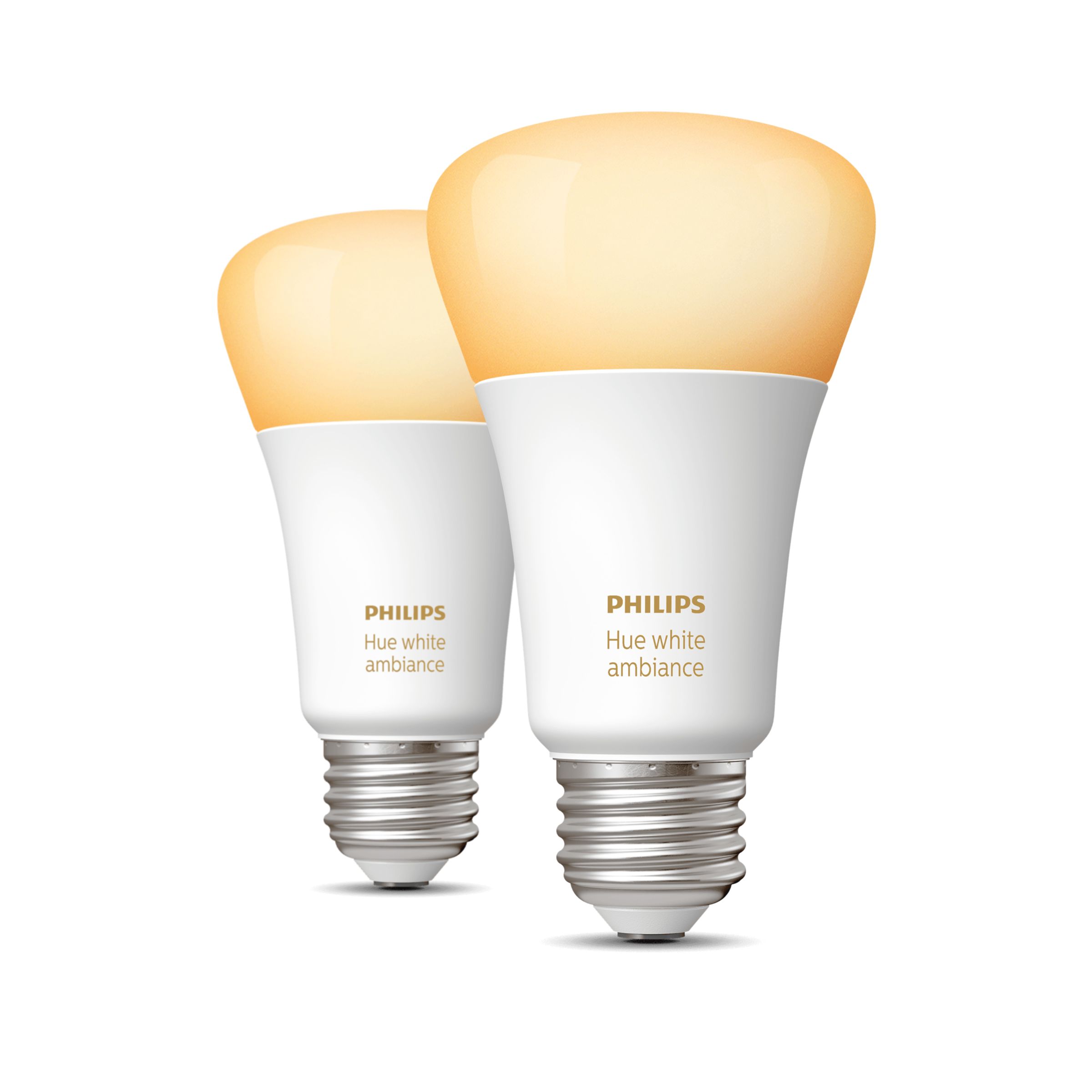
Philips is dominant in this market and is the top choice for the best colour LED smart bulb. The latest Hue bulbs offer the flexibility of being controlled via Bluetooth or Zigbee (with the requirement of the Philips Hue Bridge). They provide high-quality light output and a robust warranty for added peace of mind. limits
The pricing of Philips Hue products tends to be higher than other market options.
If you rely solely on Bluetooth, you will be limited to connecting up to 10 Hue devices.
To assign Hue devices to specific rooms, the Hue Hub is required.
4. Cree Lighting Connected Max Smart LED
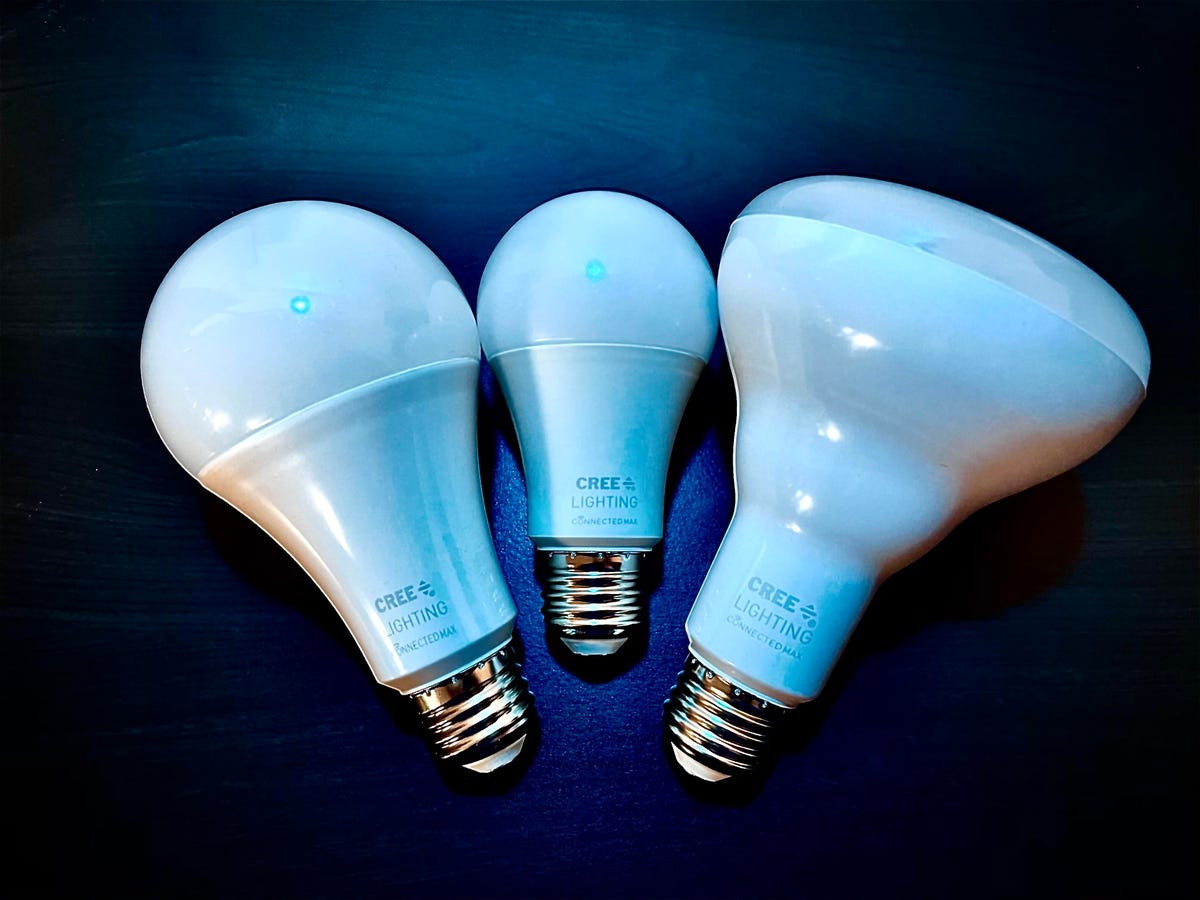
The Cree Lighting Connected Max Smart LED is an affordable option that provides high-quality lighting, including color options, without requiring a separate hub. It offers various form factors such as BR30, PAR38, vintage filament, tape lighting, and retrofit downlights. While it may not be compatible with HomeKit, it does support Siri Shortcuts for added convenience.
limits
During our testing, there may be some minor delays encountered.
The product does not offer support for Apple HomeKit.
5. Philips Hue Lightstrip Plus
The Philips Hue Lightstrip Plus is an excellent and convenient option for enhancing the ambiance of indoor spaces like kitchen counters and stairways. While the Philips Hue ecosystem offers a wide range of smart lighting solutions, it is worth noting that Hue products tend to be pricier than other market options.
limits
Significantly pricier than comparable products
The power cable is bulky due to the attached wall wart
Animation of lights requires the use of a third-party application.
6. TP-Link Kasa Smart Light Strip KL400L5

TP-Link offers a budget-friendly option with a wide range of scheduling, scene, and grouping features. The animation effects provided by TP-Link are reliable and well-executed.
limits
The Wi-Fi setup process can be inconvenient and time-consuming.
The LED lights cannot synchronize with music, limiting the entertainment options.
The construction of the product is fragile and lacks durability.
It is not possible to extend the lighting system with additional light strips.
7. Nanoleaf Shapes Hexagons
The initial release from Nanoleaf’s Shapes interactive light panels paved the way for subsequent equally captivating versions. While this modular lighting system may not provide comprehensive room illumination, it excels at creating unique and immersive atmospheres unmatched by any other lighting solution.
limits
Removing the panels from the wall can pose some challenges, although they do not seem to cause any damage in the process.
The AC adapter that comes with the panels is noticeably bulky.
The price of the product is relatively high.
8. Philips Hue Lily
Signify’s Philips Hue product range offers a comprehensive selection of outdoor and landscape LED lighting options. Apart from the Lily spotlight, the collection includes the Lily XL spotlight, the Calla Bollard light, the Econic Outdoor Pedestal, the Amarant linear outdoor light, and a variety of 9 wall or ceiling-mount outdoor lights. Additionally, outdoor LED light strips are also available within their lineup. limits
The presence of the Philips Hue Bridge is necessary for the operation
The range is influenced by the requirement of having the Hue Bridge connected to your home’s router via a wired connection
It can be costly, with each additional spotlight requiring an extra $100 investment
9. Philips Hue Calla

The Philips Hue Calla, an outdoor pathway light, enhances the security and elegance of outdoor walkways and patios, making them more sophisticated. Philips boasts the most comprehensive smart lighting ecosystem in the industry. However, it’s important to note that you’ll require an outdoor outlet to power this light. Additionally, all Hue landscape lighting components are quite pricey.
limits
Delivers only 600 lumens of brightness
Must be hardwired to a plug-in power supply
Very expensive compared to run-of-the-mill pathway lighting
10. Ring Smart Lighting Solar Pathlight
While Ring’s smart lighting system doesn’t offer as extensive a range as Signify’s Philips Hue, it provides essential lighting solutions. It offers a unique feature Hue doesn’t have: integration with home security cameras. This allows for seamless integration into the robust Ring home security ecosystem.
limit
Constructed entirely from plastic material
They come at a higher cost compared to conventional path lights
Necessitates the use of Ring Smart Lighting Bridge, which exclusively connects to 2.4GHz Wi-Fi networks
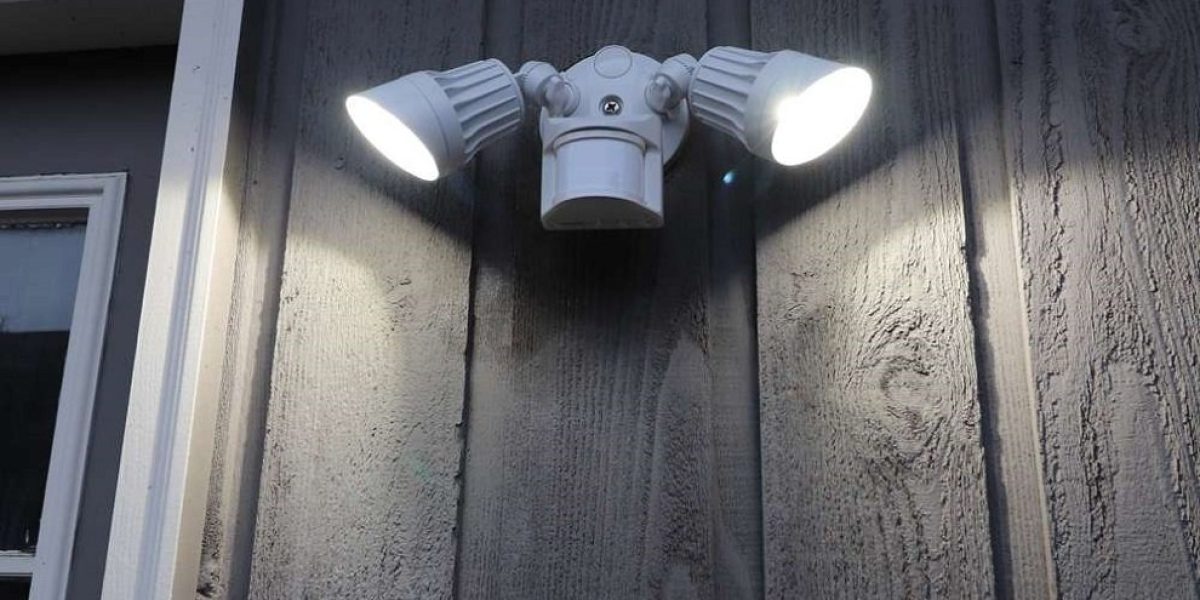
Motion Sensor Lights – The 7 Most Important Places In Your Home to Put Motion Sensor Light
Motion sensors are essential if you want to set up a smart home. These practical devices play a crucial role in maintaining home security, providing both convenience and enhanced safety. Installing and using motion sensors is straightforward, making them user-friendly.
However, determining the optimal locations for installation might pose a challenge. This blog will guide you through the recommended areas where motion sensors can be installed. The article will give you valuable insights into the few ideal places to position your motion sensors.
1. Most Used Rooms
By installing motion sensors in commonly used rooms, you can effectively manage and control your energy consumption, thus preventing an unnecessary increase in utility bills. These motion sensors enable automatic shut-off of lights and other appliances, such as fans, TVs, and thermostats, when a room is unoccupied and no motion is detected within a predetermined period. Conversely, the motion sensors can activate the lights upon seeing movement, providing convenient illumination when someone enters the room.
2. Off-Limit Rooms
If you have a room that you want to restrict access to and simply locking it doesn’t provide enough assurance, I recommend considering the installation of security sensors. Adding sensors to the room will enhance security and protect against unauthorized entry.
3. Front Door
With the installation of these sensors, you can receive notifications on your phone, activate your doorbell, or even start recording videos when someone approaches your door.
Moreover, motion sensors offer the convenience of automatically illuminating your porch lights, ensuring you never come home to a dark entrance. Additionally, positioning motion sensors in this area can deter potential intruders. When you’re not at home, you can program the motion sensors to switch on interior lights, creating the illusion of occupancy and minimizing the likelihood of burglaries.
4. Garage
Simplify your life by placing motion sensors near the base of your garage door, eliminating the need to search for a small remote control while in your car.
As you arrive in your driveway, the sensors will automatically detect your presence and open the garage door. For added convenience, consider installing motion-activated lights near or inside the garage to enhance visibility and ease of use.
5. Under the Bed
Navigating your room in the dark can be challenging, but there’s a simple solution. Install a motion sensor and create a do-it-yourself nightlight project under your bed.
When you get out of bed, the motion sensor will trigger the activation of the nightlight, casting a gentle glow to illuminate your path without causing any disturbance to others. This setup ensures you can move around comfortably and safely during nighttime hours.
6. Under Kitchen Cabinets
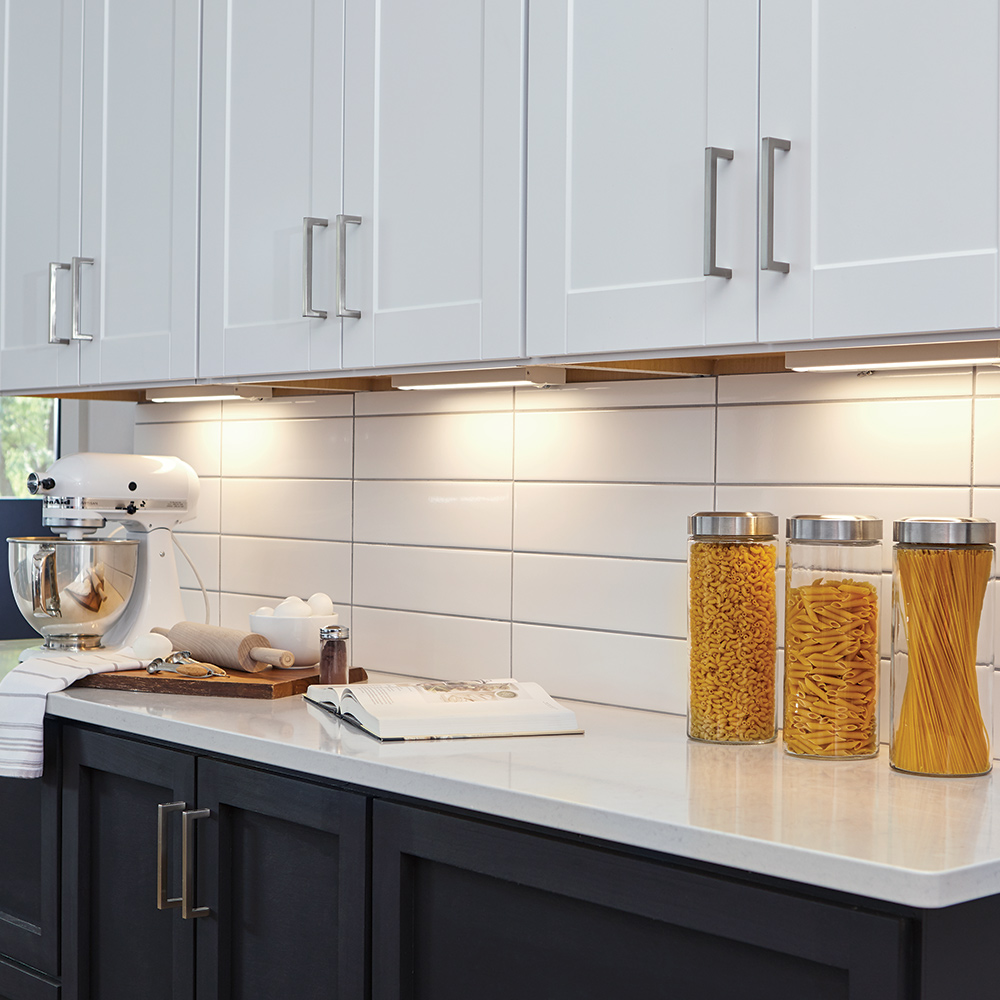
By installing motion sensors strategically under the cabinets, they can automatically switch the lights on when motion is detected and turn them off when no motion is sensed. This convenient setup ensures that you have well-illuminated spaces without manual operation.
7. Windows
Equipping your windows with motion sensors will give you timely alerts in case of any unexpected activity. These sensors act as a vigilant guard, notifying you of various scenarios, such as a teenager attempting to sneak out or an intruder trying to gain unauthorized entry. With this added layer of security, you can have peace of mind knowing that any suspicious movement near your windows will be promptly detected and reported.
Near Ultrasound Inaudible Trojan – Smart Assistants At Risk From “NUIT”
“Near Ultrasound Inaudible Trojan” (NUIT) is a new form of attack named has been discovered by researchers from the University of Texas. This NUIT is designed to attack voice assistants with malicious commands remotely via the internet.
Impacted assistants include Siri, Alexa, Cortana, and Google Assistant.
This attack relies on abusing the high sensitivity of microphones found in these IoT devices. They can pick up what is described as the “near-ultrasound” frequency range (16kHz – 20kHz), and this is where NUIT lurks.
A NUIT sound clip can be played on the targeted device’s speaker, allowing the voice assistant to be attacked on the device itself or even another device altogether.
This attack can be launched in 2 different ways. One is where NUIT is happening on the targeted device itself. This could be, for example, a rogue app or an audio file. Below is a video where the NUIT attack results in an unlocked door.
The second form of attack is where the first device containing a speaker is used to communicate with a second device containing a microphone. This is the daisy-chain style approach, where all of the cool technology in your devices slowly comes back to haunt you.
According to researchers, it is said that a smart TV containing a speaker and a quick blast of YouTube could be all that’s needed. Even unmuting a device on a Zoom call could be enough to send the attack signal to your phone sitting next to the computer as the meeting occurs.
Social engineering plays a large part in being successful via the NUIT attack. Entry points for voice assistant shenanigans could be bogus websites, apps, and audio.
Once access to a device is gained, an attacker lowers the device’s volume. This is so the device owner cannot hear the assistant responding to commands sent. Meanwhile, for the attack to actually take place, the speaker needs to be above a specific noise level. If this occurs, the bogus command length has to be below 77 milliseconds, or it won’t work.
Regarding current impact, researchers say Siri devices “need to steal the user’s voice”. Meanwhile, the other 16 devices tested can be activated by using a robot voice or, indeed, any other voice at all, for that matter.
The NUIT attack will appear at the upcoming USENIX Security Symposium in August, giving a complete overview of how this works. For now, for you to be on the safer side, it would be better to follow the advice for possible defences against this new form of attack listed by the researchers, which includes the following:
Use earphones. If the microphone can’t receive malicious commands, the compromise can’t occur.
Awareness is key. Be careful around links, apps, and microphone permissions.
Make use of voice authentication. If you’re on an Apple device, now is the time to fire that up.
Smart Home Security – 10 Ways To Limit Smart Devices’ Access To Your Home Network
More so than ever before, smart devices have made our lives simpler and safer, but this convenience can also raise some serious privacy and security issues.
The idea of the smart home is still largely a fantasy for many people. Without having to do a thing, we pictured homes with voice-activated controls for the lighting, climate, and other features. This dream is coming true as smart devices are used more frequently.
However, this convenience comes with new risks because these devices are vulnerable to cyberattacks and privacy violations. Managing the risks associated with using these appliances in your home can be challenging. Here are some tips for maintaining your home network’s security and privacy.
What Are the Dangers of Using Smart Devices at Home?
Smart devices pose a security and privacy risk, and they can be used to hack into your home network, just like any other internet-connected device. Particularly relevant are gadgets that come pre-installed with outdated firmware with several security holes. Many times, undiscovered and unfixed security flaws exist in these early versions of software.
Ways To Limit Smart Devices’ Access To Your Home Network
Smart devices pose a serious privacy risk because they frequently gather and store personal data such as usage patterns, addresses, Wi-Fi network credentials, and even video and audio recordings if they have a microphone or camera.
It should always feel safe and cosy to be in your own home. Let’s look at some strategies for lowering the security risks of hosting these devices in your modest home.
1. Keep Your Devices Updated
Software and firmware updates are required to maintain the security of smart home devices. Security updates that address known flaws and potential dangers will frequently be applied to smart devices. Fixes, firmware updates, and security patches that defend against previously undiscovered application security flaws are frequently included in these updates.
It is definitely worthwhile to routinely check for and apply device updates because frequently, the updates also include new features and improvements. Regularly updating your software and hardware can lower your risk of cyberattacks, data theft, and privacy violations.
2. Change The Default Password On The Device
For ease of access when factory restoring the device, smart devices come with default login credentials frequently published in online user manuals; this is very common with security cameras and doorbells.
Changing the default password to a complex, strong, and unique one is one of the best ways to prevent unauthorized individuals from accessing your devices. This would be a complicated password with numerous letters, numbers, and symbols. If you have several devices, create a unique password for each and think about putting them all in a password manager.
3. Use Strong Network Encryption
Most smart devices connect to the internet using your home wireless network and your home network. These devices’ security is only as secure as the encryption of your wireless network. On your home wireless network, use modern encryption protocols like WPA2 or WPA3 instead of antiquated ones like WEP and WPA.
Wireless security and the tools used to breach it are both constantly changing. For your smart home to remain secure and to stay ahead of potential threats, it is essential to keep your wireless network encryption and technology up to date.
4. Disable Unnecessary Features
Smart devices have a lot of features, not all of which you might want to enable or use. The possibility of your devices being compromised or discovered by malicious hackers can increase with features like file sharing, remote access, and management. Some smart devices have built-in public accessibility.
You should make sure that this feature is turned off before using any device that can record and stream audio and video. When using such features, only turn them on when necessary and off when no longer needed.
5. Network Subnet Segregation
Making a new subnet on your home network and giving your smart devices IP addresses from this new network is a very effective way to stop smart devices from accessing your personal devices and limit network snooping. Making a new LAN-Local (Local Area Network-Local) IP subnet is the process of subnet segregation. Devices on either network are prevented from communicating by imposing restrictions via security policies and access control.
If you’re not familiar with how network addressing functions, setting up a wireless guest network on your router is a quick and simple way to separate the smart devices. Devices on the guest network shouldn’t be able to communicate with network devices on the designated local area network by default; instead, they should only have access to the gateway. This limits the smart devices’ ability to spy on your computer and mobile devices.
6. Enable Geoblocking
Blocking access to your network and devices from particular geographic locations is known as geoblocking. When you don’t have any legitimate network connections to those countries, geoblocking can prevent access to your devices from those regions. These regions are known to have high rates of cybercrime. Depending on their software capabilities, smart devices and associated accounts may be able to limit these connections to specific appliances.
Numerous routers also provide geoblocking, which prevents certain countries from connecting to your network. If geoblocking is enabled, your smart devices and network will be better protected from discovery, scanning, and cyberattacks. Your smart home devices will be significantly less likely to be compromised as a result.
7. Limiting Account Access
The risk of unauthorized access increases with the number of accounts with management access to a smart device. The likelihood of the device being compromised by account hacking is decreased by limiting account access to a single master account with administrator rights. You will also be giving the device manufacturers fewer personal details, such as family member names, email addresses, and phone numbers, if you only have one account.
Limiting access by setting up separate accounts for each family member with lower management privileges is still a great way to lower the risk of data exposure posed by cloud-based, internet-connected smart devices, even if each family member is required to have an account.
8. Creating Firewall Rules
Using firewall rules to manage network traffic that reaches the device is an efficient way to secure smart devices. Incoming traffic from particular IP addresses or ports that hackers frequently use, such as FTP (21), SSH (22), and HTTP/S (80/443), can be blocked through the router in addition to setting up a new subnet or guest network for the devices.
Additionally, you can set up firewall rules that only permit outgoing traffic, preventing access to the devices from networks other than your own. This way, data can be protected from unauthorized access and restricted to your home network. Some router firewalls can also make rules that are tailored to particular applications. Only connections from a particular application or network protocol will be permitted when these rules are applied to your devices.
9. Network Monitoring And Intrusion Detection
IDS (Intrusion Detection Service) and network monitoring are crucial tools for protecting your home network and smart devices. Installed and used to track network traffic and generate complex logs for analysis are free network monitoring tools like WireShark and PRTG Network Monitor.
Free and open-source IDS software, like Snort and Suricata, can quickly generate alerts via email, SMS, or an application when it detects suspicious or unusual network traffic. Using IDS and network monitoring together is a potent way to keep track of activity on your home network and with your smart devices.
10. Use a VPN
A virtual private network, or VPN, effectively safeguards your home network and electronic equipment. Both supported devices can use software settings to apply the VPN connection, and your router can apply it to your home network. Traffic will be anonymous, and your public IP address will be hidden. You should shop for a VPN service provider that offers dependable servers in your country and fast connections.
The ability to establish a VPN connection to your home network is offered by many routers and firewalls that are both open-source and commercially available. Instead of forwarding smart device ports and IP addresses to a public interface, connect to your home network from a PC or smartphone using the VPN. After that, you can communicate with the gadgets using a locally assigned IP address.
In Conclusion
Ultimately, you are responsible for protecting your network from the security and privacy risks brought on by smart devices in your home. Implementing a multi-layered security strategy can significantly lower your risk of having your data stolen or your home network and devices compromised.
It’s critical to keep in mind that no security measure is impenetrable. You can stay ahead of potential security breaches by remaining vigilant and staying up to date with the most recent cybersecurity news.
Smart Home – How To Secure Your Smart Home In 5 Steps
Your smart home needs to be properly configured and adequately secured if you want it to be more beneficial than harmful. We go into great detail on smart home security.
Nowadays, most television sets, baby monitors, and other digital devices have intelligent features and internet connectivity. Whether or not you use these smart features, smart devices pose security risks that you should be aware of and take precautions against.
If you use many features in your smart home, securing its components is even more important. Planning a smart home is the subject of a separate article we’ve written, so here we’ll concentrate on security.
The Biggest Smart Home Risks
Networked home appliances produce several essentially different types of risks:
1. The devices regularly exchange a large amount of data with the vendor. For instance, even if the media you’re watching is on a flash drive or external player, your smart TV can still recognize it. Some businesses profit greatly from spying on their clients. Even simpler appliances, like intelligent washing machines, gather and share data with their suppliers.
2. Hackers can take control of your smart device if it has an insecure password, is still set to its default operating system and hasn’t been modified, or has security holes in the operating system. Different device types have different effects on this. When used improperly, baby monitors can spy on and frighten home occupants. In contrast, a smart washing machine can be turned off mid-cycle as a practical joke. Downright unpleasant situations, like a blackout or heating failure, can happen in a fully functional smart home.
3. A smart device taken over can be infected with malicious software and used to launch cyberattacks against both devices on the wider Web and computers connected to the home network. Evidence shows that infected security cameras have launched powerful DDoS attacks. Owners of infected devices run the risk of having their internet connections cut off and being added to various blacklists.
4. The data sent by the device can be located and made public if the vendor’s level of security is insufficient. Sometimes, surveillance and peephole camera footage is kept in inadequately secured cloud environments and is available for public viewing.
Luckily for you, none of these horrors has to befall you — the risks can be significantly lessened.
What If You Don’t Need Your Home To Be Smart?
It’s not uncommon for a smart home to be underutilized. In the IoT, 50% of devices never see a network connection, according to statistics from appliance vendors. They are used by the owners in a conventional, non-smart manner, without mobile app management or any other amenities unique to the twenty-first century.
But security risks can still exist with even a non-configured device like that. It’s likely that it occasionally tries to connect to nearby Bluetooth-enabled devices or exposes a publicly accessible, unencrypted Wi-Fi access point. Someone might take over in that situation, like one of your neighbours.
Therefore, reading through the user manual, opening the settings, and disabling Wi-Fi and Bluetooth connectivity are the bare minimum steps you need to take to “dumb down” your smart home appliances.
Some gadgets prevent you from doing this or that restart Wi-Fi after a power outage. This can be resolved with a workaround that involves temporarily changing your home Wi-Fi password, connecting the problematic device, and then changing the password again.
Even though the device will continue to attempt to connect using the wrong password, it will be impossible to hack it using malicious default settings.
General advice
Your smart home needs some level of security, whether it is centrally controlled or consists of disparate, unconnected devices.
1. Make Sure Your Wi-Fi Router Is Secured.
Keep in mind that the smart home system includes your router as well. We’ve written several comprehensive guides on how to set up a router correctly and secure a home Wi-Fi network. We’d like to add that the set-and-forget strategy doesn’t work here because it’s frequently discovered that home router firmware contains flaws exploited for attacking home networks.
Regularly checking for firmware updates is necessary. Reliable routers allow firmware updates directly from the control panel of the web interface. If that isn’t the case for you, go to the vendor’s website or contact your internet service provider to get a newer firmware version, then follow the installation instructions to install it.
Verify that the router’s settings are set to prevent device management from networks other than the one at home before wrapping up this router adventure. Although ISP staff members may occasionally need it for troubleshooting, it is frequently left on when unnecessary, increasing cybersecurity risks.
2. Check Your Network Regularly To Make Sure There Are No Unauthorized Devices Connected To It.
Using a specialized app is the most practical way to accomplish this. When available, Kaspersky Premium can show a list of all network-connected devices along with information about their vendors and protection status.
It’s crucial to keep track of your devices and remove any unnecessary ones, such as a refrigerator that doesn’t require Wi-Fi or a neighbour connected to free Wi-Fi.
3. Consider Vendor Reputation When Purchasing A Gadget.
Every vendor has weaknesses and flaws, but some quickly address these issues and release updates, while others will continue to downplay the issue for as long as possible.
A Kaspersky survey revealed that 34% of users think having a secure smart home is as simple as choosing a reputable vendor. While that undoubtedly reduces the risks, additional measures are still needed to stay safe.
What If Your Smart Home Is Built On Wi-Fi?
Do you own several smart devices that aren’t interconnected or that you’ve connected together using Apple HomeKit or Amazon Alexa? In that case, each device independently uses Wi-Fi to connect to the internet.
From a security perspective, this situation is the most challenging because each device’s passwords, firmware, and vulnerabilities must be tracked separately.
Unfortunately, setup instructions differ significantly depending on the device type and vendor, so we must stick to general advice.
1. Set Up AGuest Wi-Fi Network.
This is referred to as “network segmentation” by experts. Ideally, your home network should be divided into three sections: personal computers, visitors’ devices, and smart home appliances. Although many routers can’t perform such miracles, you should at least have two segments: one for guests and one for home devices.
This will stop visitors from playing around and changing your camera and robot vacuum settings. It should go without saying that the segments need unique Wi-Fi passwords to be protected, and the guest segment needs stricter security parameters like client isolation, bandwidth restrictions, and so on.
IoT device segmentation minimizes risks related to them. A home computer could not be attacked by a hacker using an IP camera that had been taken over. Infected home computers cannot access video cameras; the opposite is true.
To implement this advice, access the web-based management interface for the router and check the Wi-Fi settings. Check the other sections of the router settings to ensure that the cables connecting some of your appliances are in the appropriate network segments.
2. Set Strong Passwords.
Open each device’s settings. A web interface and an official mobile app can accomplish this. By following the instructions in the user manual, create a lengthy password for each device. The same password cannot be used across all devices! Consider using a password manager to keep everything organized.
By the way, one comes with Kaspersky Premium and can also be downloaded separately.
3. Update The Firmware.
Do this for each of your devices that support firmware updates via an app or web interface, and repeat regularly.
4. Check The Online Service Settings.
The same device might work in various modes, sending various amounts of data online. For instance, a robot vacuum cleaner may or may not be permitted to upload a thorough cleanup pattern to the server, which would entail a map of your house.
When a visitor approaches your door, a video peephole may be permitted to save each image or video to the server, or it may only be permitted to display it when you press the button. Disable unused features to avoid filling the vendor’s cloud storage with unnecessary data.
Additionally, it’s best to avoid sending the server any data that can be protected from sharing without affecting the device’s functionality.
5. Follow Updates On The Vendors Of Devices You Use.
IoT device owners occasionally need to take action when serious vulnerabilities or other problems are discovered with their devices. These actions might include updating the firmware, turning on or off a feature, changing the password, deleting an outdated cloud backup, etc.
Conscious vendors typically have a section of their website dedicated to security advice and newsletters. Still, these are frequently written in technical jargon and include information on various devices irrelevant to you.
It is, therefore, advisable to periodically check for updates regarding your devices and, if necessary, visit the official website.
What If Your Smart Home Is Centrally Managed?
The owner’s job is made a little bit easier if your smart home has a centralized system with most of the devices controlled by a hub.
The smart home controller is primarily where all of the actions, like choosing a secure password and regularly updating the firmware, must be completed. Ideally, turn on two-factor authentication for the controller. We also advise limiting the controller’s ability to access the internet, for instance, by disabling data sharing with all computers other than vendor servers and items connected to the controller’s home network.
You can adjust this in the home router settings. Some controllers can function even when there is no internet connection. Disconnecting the hub from the internet is a strong security measure, even if you don’t need to be able to manage your smart home remotely.
Although the threat of sophisticated, multi-stage attacks won’t go away due to this, at least the most straightforward ones will be stopped.
Smart Home Automation – 7 Problems With Smart Home Automation
The concept of a smart home dates back to the early 20th century when futurists and inventors first imagined a fully automated and connected home. However, it wasn’t until the advent of the Internet and the widespread adoption of smartphones that the concept of a smart home became a reality.
The first commercially available smart home devices appeared in the early 2000s. The term “smart home” became more widely used in the 2010s with the rise of the Internet of Things (IoT) and the increasing affordability of smart home devices.
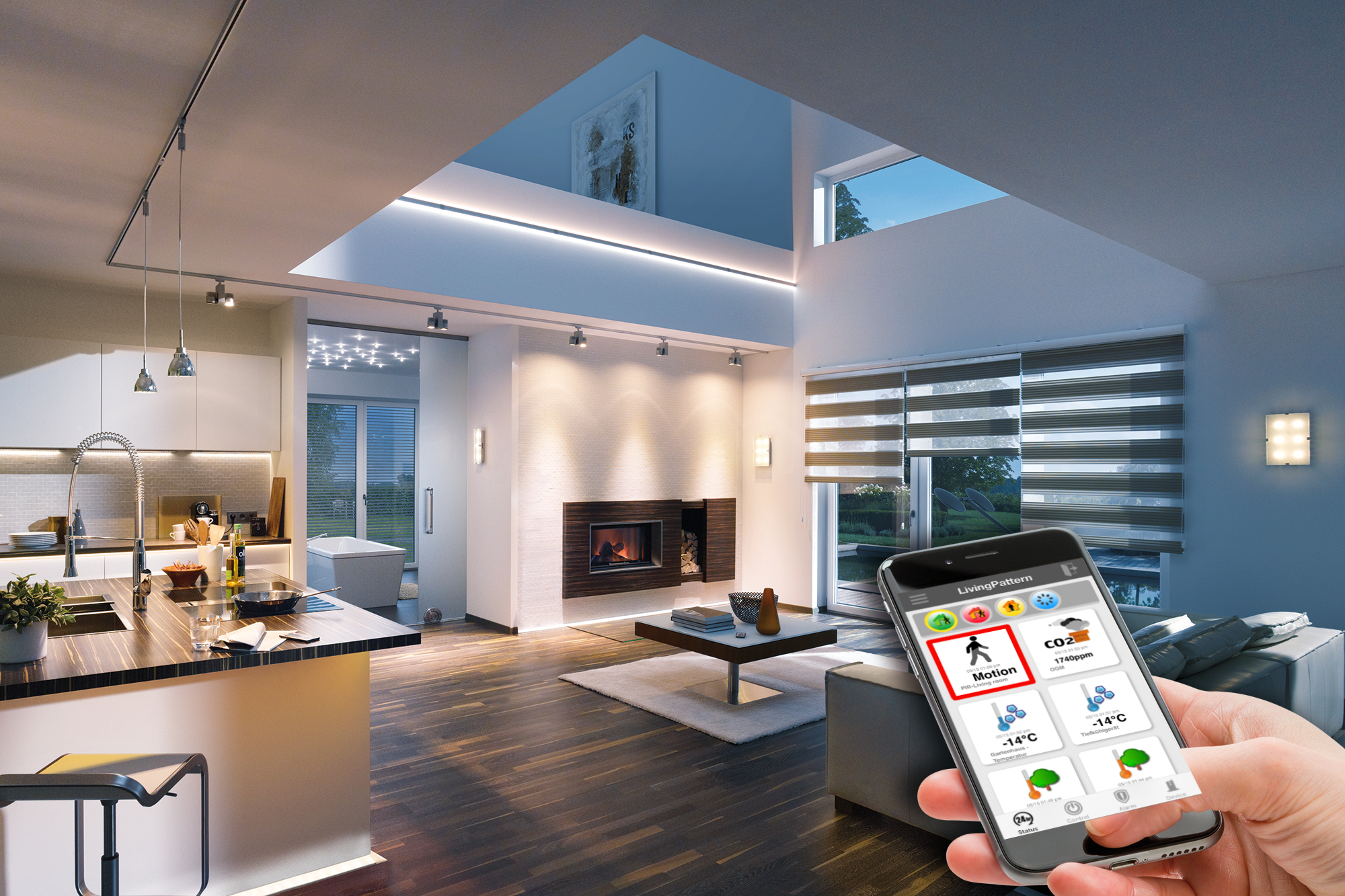
Today, a smart home typically refers to a residence that uses internet-connected devices and appliances to automate and control various aspects of the home, such as lighting, heating, cooling, and security.
Smart homes allow homeowners to control and monitor their homes remotely and automate routine tasks such as adjusting the thermostat or turning off lights. They also offer increased convenience, comfort, security, and energy efficiency and can greatly improve homeowners’ quality of life.
A smart home is a term used to describe a home that has automated devices, appliances, and systems that can be controlled and monitored remotely through a computer, mobile device, or voice-activated virtual assistant.
The goal of a smart home is to provide homeowners with greater convenience, comfort, security, and energy efficiency. Examples of smart home devices include smart locks, smart lights, smart thermostats, smart security systems, and smart appliances such as refrigerators, ovens, and washing machines.
Smart smoke detectors (Nest Protect, First Alert Onelink)
Smart blinds and window shades (Hunter Douglas, Lutron)
Smart refrigerators (Samsung Family Hub, LG InstaView)
Smart Home Automation
Smart home automation refers to using technology to control and automate various household devices and systems, such as lighting, heating, air conditioning, appliances, security systems, and entertainment systems, from a centralized control system or remotely through the Internet.
Smart home automation aims to make life easier, more convenient, and more efficient by allowing homeowners to control their homes with just a few taps on a smartphone or tablet. Recommended:Motion Sensor Lights – The 7 Most Important Places In Your Home to Put Motion Sensor Light
Smart Home Automation Tools
Here are some popular smart home automation tools and a brief explanation of each:
Smart Thermostats allow you to control your home’s temperature from anywhere using a smartphone app or voice control. Some models can also learn your heating and cooling preferences and adjust accordingly.
Smart Lights: Light bulbs can be controlled and scheduled using a smartphone app or voice control. Some models can change colours and brightness levels and integrate with other smart home devices.
Smart Plugs: These are simple devices that can be plugged into any standard electrical outlet and controlled using a smartphone app or voice control. They allow you to turn on/off any device plugged into them, such as a lamp or coffee maker.
Smart Security Systems: These systems typically include cameras, motion, and door/window sensors and can be controlled and monitored using a smartphone app. Some models can also be integrated with other smart home devices and trigger alerts or actions based on pre-set rules.
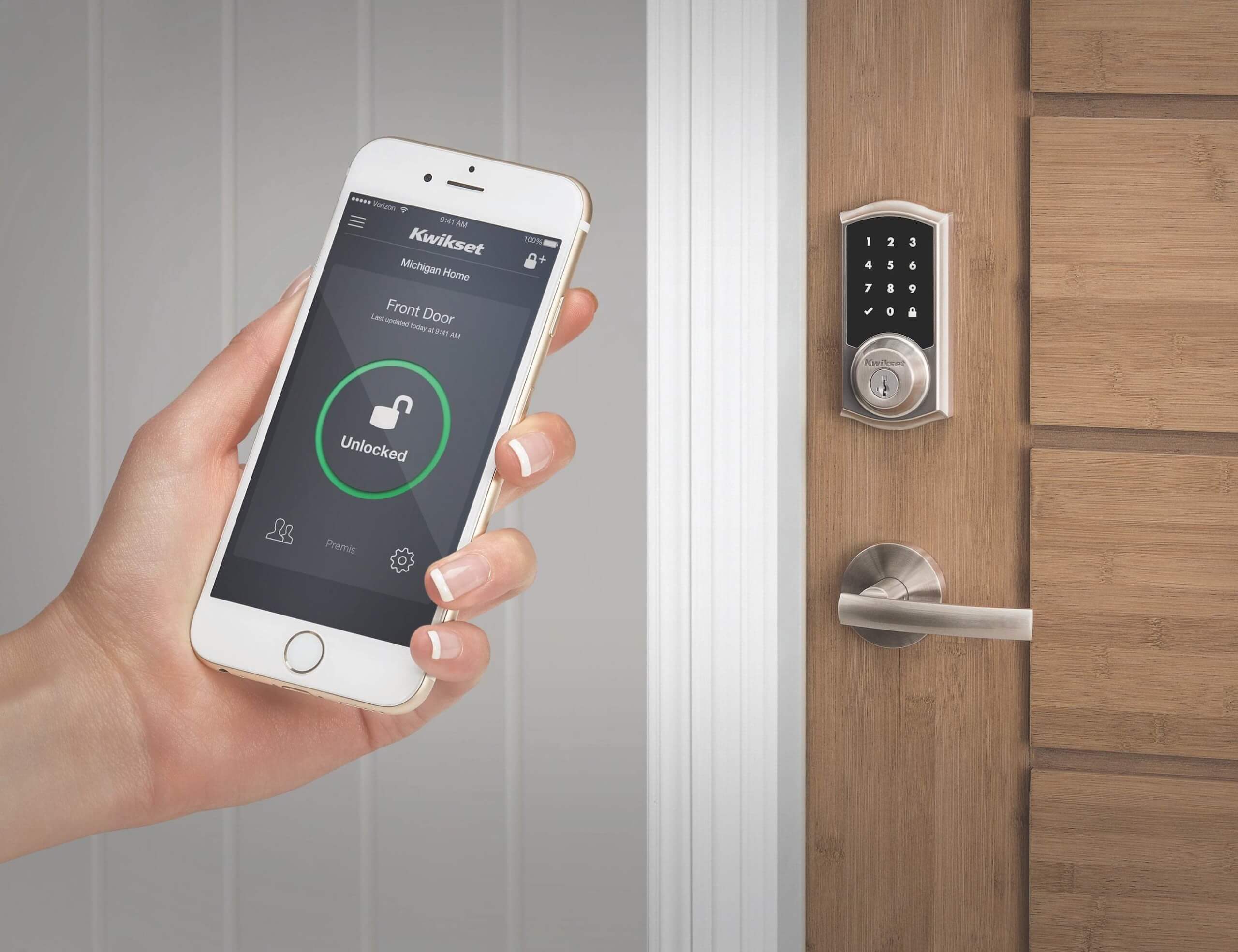
Smart Door Locks: These locks can be controlled and monitored using a smartphone app and can be programmed to lock or unlock automatically based on your location or schedule. Some models can also be opened using a key fob, a keypad, or biometrics.
Smart Smoke Detectors: These detect smoke and carbon monoxide and send alerts to your smartphone, even if you’re not at home. Some models can also be integrated with other smart home devices, such as smart lights or smart locks, to take action in an emergency.
Smart Garage Door Openers: These devices can be controlled and monitored using a smartphone app and programmed to open or close automatically based on your location or schedule. Some models can also alert you if the garage door has been left open.
These are some of the most popular smart home automation tools currently available. Integrating these devices allows you to create a smart home system that can be controlled and monitored anywhere using a smartphone app or voice control.
Importance Of Smart Home Automation
Smart home automation offers several benefits, including:
Convenience: With smart home automation, you can control and monitor your home from anywhere using your smartphone or tablet.
Energy efficiency: Smart devices like thermostats and lighting systems allow you to control and adjust energy usage, reducing your carbon footprint and saving you money on utility bills.
Improved security: Smart security cameras and locks allow you to monitor your home and control access to it from anywhere, increasing your peace of mind.
Increased comfort: Smart thermostats and lighting systems allow you to set and adjust temperature and lighting levels to create the perfect atmosphere in your home.
Enhanced safety: Smart smoke detectors and carbon monoxide detectors can alert you to potential hazards, giving you peace of mind and ensuring your family’s safety.
Improved accessibility: Smart home automation can also be especially beneficial for people with disabilities, as it allows them to control various aspects of their homes more easily.
Smart home automation offers numerous benefits that can improve your quality of life, comfort, and safety.
Problems With Smart Home Automation
Smart home automation can have several challenges, including:
Complexity: Setting up and using smart home devices can be complex, especially for those who are not tech-savvy.
Interoperability: Different smart home devices may use different protocols and standards, leading to compatibility issues between brands and models.
Reliance on internet connection: Most smart home devices rely on a reliable internet connection, which can be an issue if the connection is lost or slow.
Security concerns: As with any connected device, smart home devices can be vulnerable to hacking and cyberattacks.
Cost: Smart home devices can be expensive, especially for a full-scale smart home setup.
Privacy concerns: Smart home devices often collect and store personal data, which can raise privacy concerns for some users.
Dependence on power: Most smart home devices rely on electricity, which can pose a problem during a power outage.
Overall, while smart home automation offers many benefits, it also has challenges that must be considered before implementing a smart home setup.
The Cost Of Starting A Smart Home In Nigeria
The cost of setting up a smart home in Nigeria can vary greatly depending on several factors, such as the size of your home, the number of devices you want to install, and the brands and models of the devices you choose.
However, on average, a basic smart home setup in Nigeria can cost anywhere from NGN 100,000 to NGN 500,000 or more, while a more advanced setup can cost even more.
Remember that the cost of smart home devices in Nigeria can be higher than other countries due to import duties, shipping costs, and other factors.
Additionally, the cost of installation and maintenance should also be considered when setting up a smart home in Nigeria.
In conclusion, the cost of raising a smart home in Nigeria can be significant, and it’s important to consider your budget and needs carefully before making a decision.
How To Start Up A Smart Home In Nigeria
Here are the steps to start up a smart home in Nigeria:
Plan your setup: Determine which areas of your home you want to make smart, such as lighting, heating, cooling, security, etc.
Research devices: Look for smart home devices that meet your needs and budget. Consider compatibility with other devices, brand reputation, and customer reviews.
Determine your budget: Set a budget for your smart home setup and allocate funds for each device you want to purchase.
Purchase devices: Buy your smart home devices from a reputable retailer, either online or in-store.
Install devices: Follow the manufacturer’s instructions, or hire a professional if necessary.
Connect devices: Connect your devices to your home Wi-Fi network and download the relevant apps to your smartphone or tablet.
Automate devices: Use the apps to set up automated routines and schedules for your devices so they work together to make your home smart.
Monitor and adjust: Regularly monitor your smart home setup and make adjustments as necessary to ensure everything is working properly.
Starting a smart home in Nigeria can be complex and costly. Still, careful planning and research can greatly improve your home’s comfort, convenience, and security.
Problems Of Setting up A Smart Home In Nigeria
Setting up a smart home in Nigeria can present several challenges, including:
Availability of devices: Some smart home devices may not be widely available in Nigeria or may only be available at a premium price.
Reliable power supply: Power outages and fluctuations can be a common issue in Nigeria, affecting the performance of smart home devices that rely on electricity.
Internet connectivity: A reliable and fast internet connection is required for many smart home devices to work properly. This can be an issue in some parts of Nigeria where internet connectivity is limited.
Technical expertise: Setting up and configuring smart home devices can be complex and may require technical expertise that is not widely available in Nigeria.
Cost: The cost of setting up a smart home in Nigeria can be high, especially for high-end devices, which may be subject to import duties and other costs.
Lack of local support: In the event of a technical issue, finding local support for smart home devices can be challenging in Nigeria.
Security concerns: Smart home devices can be vulnerable to hacking and cyberattacks, and users may be concerned about the security of their personal data.
Overall, while the benefits of smart home automation in Nigeria are numerous, it’s important to carefully consider the challenges and limitations before setting up a smart home in Nigeria. Also see:Automation Tools – 6 Best Automation Tools In 2023
Ways Of Improving Smart Home Automation In Nigeria
Here are some ways to improve smart home automation in Nigeria:
Promote local manufacturing: Encouraging local manufacturing of smart home devices can help to reduce the cost of smart home automation in Nigeria while also boosting the local economy.
Improve internet infrastructure: Investing in developing fast, reliable, and widely available Internet connectivity can help overcome one of the major challenges of smart home automation in Nigeria.
Provide technical training: Providing training programs for technicians, electricians, and other professionals to help them acquire the technical skills needed to install and maintain smart home devices can help to overcome the shortage of skilled personnel in Nigeria.
Promote standards: Encouraging the adoption of common standards for smart home devices can help to improve compatibility and interoperability between different brands and models, making it easier for consumers to set up and use smart home systems.
Raise awareness: Educating consumers about the benefits and limitations of smart home automation in Nigeria can help to raise awareness and promote the adoption of smart home technology.
Improve security: Investing in security measures to protect against hacking and cyberattacks can help mitigate the security concerns often associated with smart home devices.
Provide local support: Establishing a local support network for smart home devices can help address the lack of local support in the event of technical issues.
These are some of the ways that can help to improve smart home automation in Nigeria and overcome some of the challenges that are currently facing the industry.