This category on App Trends and Predictions will explore the evolving world of apps with insights into emerging trends and predictions about the future of mobile applications (e.g. AI apps).
Stay ahead of the curve with our coverage on the latest apps in the industry and your needs.
Microsoft Plans To Invest $10 Billion In Portuguese AI Data Hub
Microsoft (MSFT.O) plans to invest $10 billion in Portugal’s port city of Sines in artificial intelligence infrastructure at a data centre over the next few years, marking one of the largest AI investment projects in Europe, it said on Tuesday.
They will partner with developers Start Campus, AI infrastructure platform Nscale and chipmaker NVIDIA to deploy 12,600 next-generation NVIDIA Graphics Processing Units (GPUs) in Sines, 150 km (93 miles) south of Lisbon.
In April, Start Campus, a venture between U.S. investment fund Davidson Kempner and Britain’s Pioneer Point Partners, announced plans to invest 8.5 billion euros ($9.9 billion) by 2030 in a data centre hub to serve the growing demand of major tech and AI companies.
One of the planned six buildings is already in operation.
“By strengthening the national AI infrastructure through collaboration with Nscale, NVIDIA, and Start Campus, we are helping to position Portugal as a benchmark for the responsible and scalable development of AI in Europe,” Microsoft’s Vice Chair and President Brad Smith said.
Portugal has large investment projects lined up for Sines to produce green energy to power energy-intensive data centres. Portugal’s Atlantic coastline positions it as a prime hub for subsea cables connecting Europe, Africa, and the Americas, forming the backbone of the World Wide Web.
Since OpenAI launched ChatGPT in 2022, Investments in data centres, which help provide computing power for AI, have surged, as companies across sectors increasingly shift their operations to the cloud and integrate AI into their businesses.
Google Possible Integration Of Gemini Nano Banana Across All Tools
Since its August launch in Gemini, Google’s Nano Banana image-generation model has been the buzz of the town.
Although its main purpose is to generate text images, users have also been using it to edit photos, make figurines, and restore old photos.
After just a few weeks of its debut, Nano Banana had finished more than 200 million modifications and sparked a number of social media trends.
It’s possible that Google intends to incorporate the image model into some of its other services and apps after the success.
According to Android Authority, the Google app’s Android code now contains references to Nano Banana. The picture model is present in several app components, such as Circle to Search, Google Lens, and AI Mode for Search.
Android Authority first spotted the image model on the AI Mode earlier this month. A beta version of the Google app showed a refreshed layout of buttons for AI Mode’s prompt box, with an option to “Create images.” That is exactly how Google describes the tool in Gemini.
Later, the outlet found Nano Banana integrated into Lens and Circle to Search with version 16.40.18.sa.arm64 of the Google app for Android.
With Lens, when you point your camera towards an image or text, the navigation bar displays a new option called “Create” along with Nano Banana’s famous banana logo. When you first hit the button, you’re invited to “capture, create, and share.” After that, the process is as usual. You describe the edits you want to make on the image you just captured.
However, Circle to Search isn’t as well-developed at the moment. Android Authority observes that although the Create button is a menu option above the selected area, it is not responsive.
Although Google hasn’t made an official announcement about Nano Banana’s arrival in the Google app, one of its executives gave X a significant clue. In a reshare of the Android Authority story, Rajan Patel, Google’s VP of engineering for Search, stated, “keep your [eyes emoji] peeled [banana emoji].”
Free Apps Like Spotify Music – Best Free Alternatives To Spotify In 2025
With the increasing demand for various music streaming services like Spotify, not having a free alternative to run to cut you off from the music world. Although apps like Spotify have a lot of awesome features their subscription rate is a barrier for most people.
Whether you’re tired of repetitive playlists, seeking better audio quality, or hunting for a more affordable subscription, there are plenty of Spotify alternatives free and paid that can cater to your needs. We know this is important to you as a person, so we have looked into some of the best Spotify alternatives to try.
Best Free Alternatives To Spotify In 2025
Having access to the best music streams can put you in a world of your own and this can only be possible with the right apps. We give you the best free alternatives to Spotify to try. The best free alternatives to Spotify include the following:
YouTube Music
Deezer
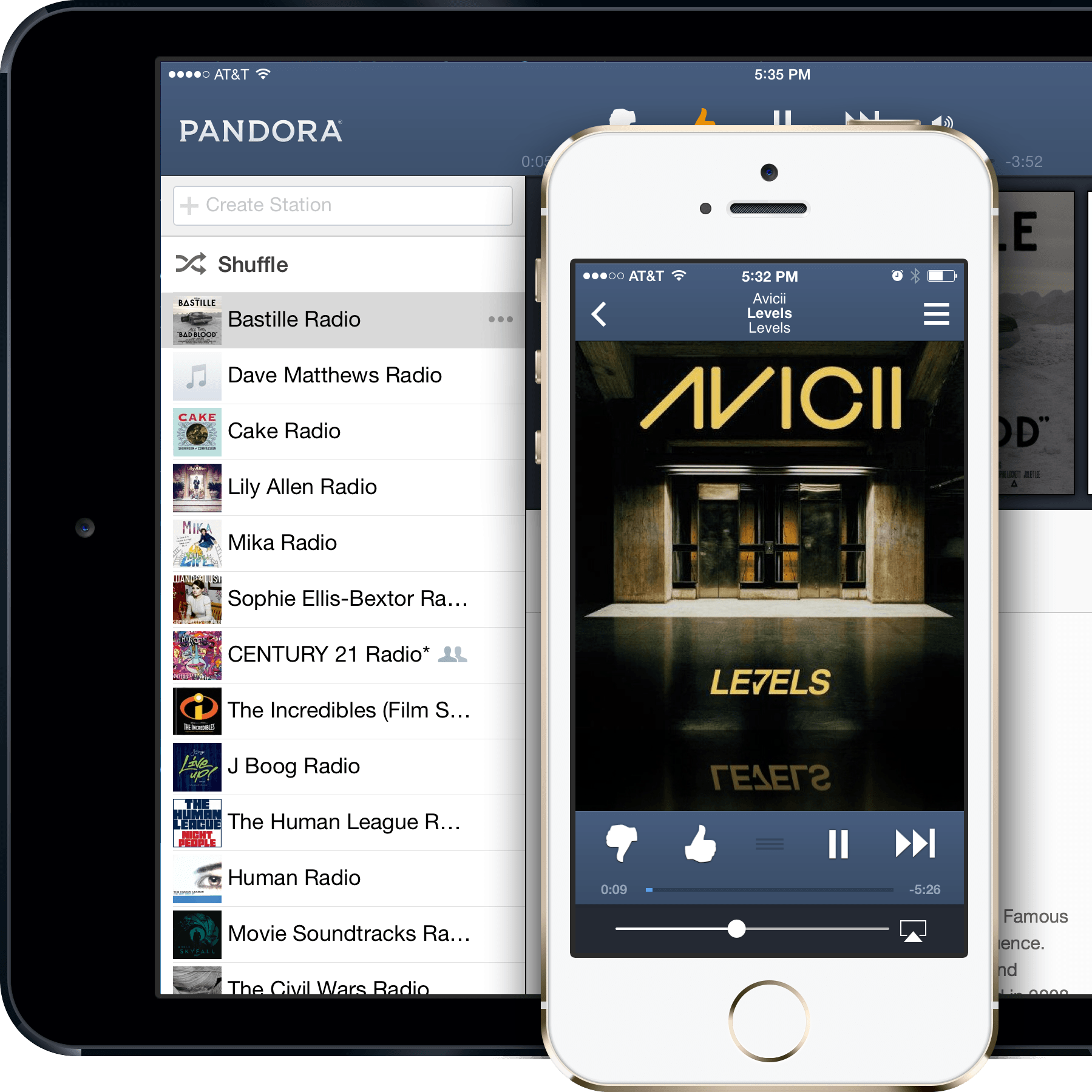
Pandora
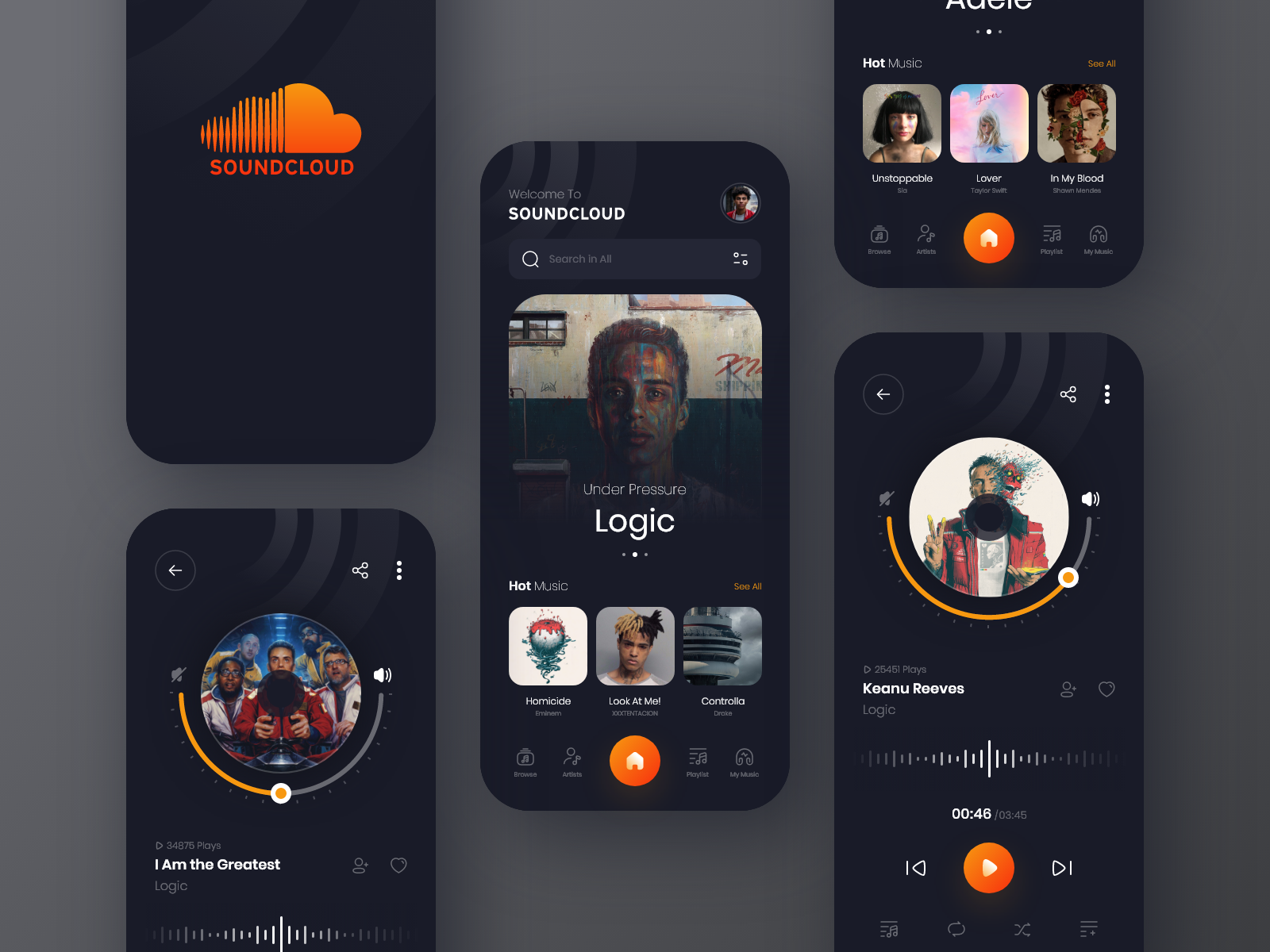
SoundCloud
Let’s get started.
1. YouTube Music
If you’re a fan of YouTube releases then you’ll trust that YouTube Music is a trustworthy alternative to Spotify.
YouTube Music is a strong competitor in the free and paid music streaming space, offering access to music tracks and videos.
With an extensive catalogue that includes remixes, live performances, and official albums, YouTube Music is ideal for users who enjoy a combination of audio and visual content. Best For users who want a mix of music tracks and videos in one app.
Key Features
Access to both music videos and audio tracks.
Personalized recommendations based on listening habits.
Ad-free experience with YouTube Music Premium.
Apps like Spotify but Offline downloads available with premium subscription.
2. Deezer
Deezer is a versatile music streaming service offering over 90 million tracks with both free and premium tiers. Deezer’s Flow feature creates personalized playlists based on your listening habits.
It also offers Hi-Fi streaming for audiophiles, making it a solid alternative to Spotify for those looking for a user-friendly platform with high-quality sound.
This is best For listeners who want a personalized experience with a vast catalogue.
Key Features
Over 90 million songs.
Flow feature for personalized playlists.
Supports Hi-Fi streaming.
Available in 180+ countries.
3. Pandora
For those looking for an app that helps customize access according to their preferred genres and artists, Pandora is the right app for you.
Pandora is known for its radio-like streaming experience and its ability to create personalized radio stations based on your favourite artists or genres.
It is best For users who enjoy radio-style music discovery.
Key Features
Radio-like streaming with personalized stations.
On-demand streaming with Pandora Premium.
Offers curated playlists and personalized recommendations.
Ad-free experience with a premium subscription.
4. SoundCloud
Another unique platform that allows users to stream a wide variety of user-uploaded content, including independent artists, remixes, and podcasts is SoundCloud. SoundCloud Go+ gives users access to over 150 million tracks, including mainstream and underground music.
It’s the perfect platform for those who want to discover new and emerging artists.
It is ideal for fans of independent artists and underground music.
Key Features
Over 150 million tracks, including independent and mainstream music.
User-uploaded content, including remixes and podcasts.
SoundCloud Go+ offers ad-free listening and offline access.
Great for discovering emerging artists.
Conclusion
If you’re tired of repetitive playlists, seeking better audio quality, or hunting for a free music streaming app, there are plenty of Spotify alternatives that are free and can cater to your needs.
Although Spotify is a great app, its subscription rate has become a problem to many and this is why we have looked into some of the best alternatives that are available.
These alternatives are one of the best. So pick one that is your style and use it.
Podcast Streaming Apps – 4 Best Podcast Streaming Apps For iPhone In 2025
Getting access to the best podcasts of your choice can be possible with the right apps. Podcasts have become one of the most engaging platforms for various reasons such as entertainment, teachings, and lots more. This is why there are an increasing number of podcast viewers than TV shows.
Podcasts have become the new thing for most and as such having access to the latest podcasts is important.
If you are a Podcast fan then you know that perhaps you’re perfectly happy with the stock podcast player app that came on your phone, like Apple Podcasts or Google Podcasts.
They’re both fine, but if you listen to a lot of shows, you might want to upgrade to one of the apps listed below to get unique features.
Best Podcast Playing Apps For iPhone
Are you an iPhone user and looking for the best Podcast apps? Here are some of the best Podcast playing apps for iPhone. They include the following:
Castro
Downcast
Overcast
Pocket Casts
Let’s get started.
1. Castro
Castro is an amazing podcast app for iPhone. But, if you upgrade to Castro Plus, you get the advanced feature, which allows you to upload any content you want to play to the podcast player, such as audiobooks, talks from conferences, and anything else you want.
The rest of Castro’s features are average, including a button that trims dead air from your listening experience, a voice booster setting, the ability to customize settings for each show in your feed, and a dark mode.
2. Downcast
Downcast is one of the best podcast apps for iPhones and Macs. It also works with Apple Watches and CarPlay. You pay once for the app and own it forever with no subscription fees.
It’s easy to subscribe to podcasts on Downcast, whether you browse, search for them, or add them via a URL feed.
Rich settings let you automatically start your favourite podcast a set number of seconds in or end them early, letting you bypass lengthy intros or closing ads.
Downcast is an excellent choice if you’re an Apple-only user and don’t need a web console.
3. Overcast
Overcast is for Apple devices only (iPhone, iPad, Apple Watch, Mac, Apple Vision) with a few unique features, the standout one being clip sharing.
With clip sharing, you can tell a fellow podcast lover about a show you love by sending them an audio or video clip from an episode, up to one minute long.
Overcast also provides you with a feature that can help you create playlists of podcast shows so that each new episode appears in the list (called Smart Playlist), as well as playlists of specific episodes you want to hear.
The free version contains ads and has a few feature limitations but no showstoppers.
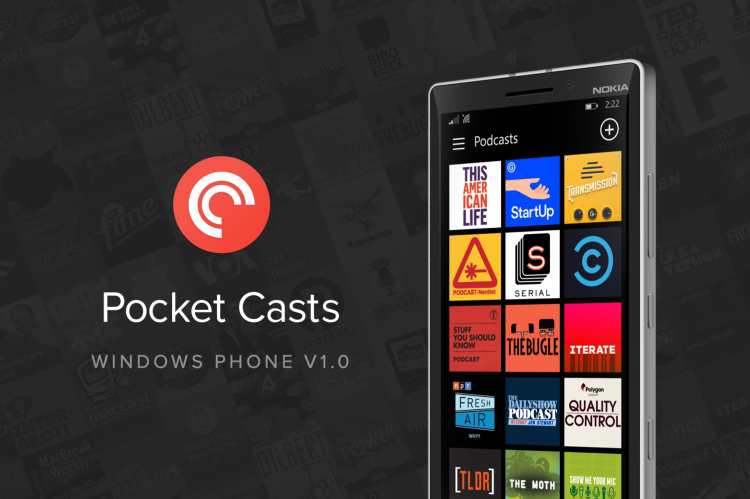
4. Pocket Casts
One of the most loved podcast player apps, Pocket Casts, is free for Android and iOS. It’s also available on Amazon Echo, Apple CarPlay, Apple Watch, Android Auto, and other platforms, some of which are restricted to Plus and Patron members (macOS, Windows, web player).
This app has a clean interface and great features. It’s easy to see what’s on your subscription list and which episodes you’ve started but still need to finish.
Conclusion
Podcasts have taken a different turn from what it used to be. This is why having the right podcast app is important. Streaming your favourite Podcasts can be relaxing and entertaining especially when you can access them whenever you want.
We have looked into some of the best podcast apps for your iPhone.
Free Journaling Apps – 5 Top Free Journaling Apps For Students In 2025
Thought can be hard to collect when you do not have a journaling app. For the longest time in the human race journals have served as a form of remembrance and a momentum to dream and collect thoughts together. This is why having a personal journal is important.
With the change in time and generation, a journaling app is the best way to get to jot down thoughts, feelings, and accomplishments without having to do much. With a journaling app, you can record your thoughts, feelings, and experiences, much like a paper journal.
A journaling app also comes with different features which include password protection, multimedia functions, and a mood tracker with additional daily prompts or templates in the app that can provide you extra support on days when your mind draws a blank.
Benefits Of Keeping A Journaling App
The best journaling apps help you take a moment to pause and introspect in a world that never stops moving. Here are ways an online diary encourages you to embrace a regular writing practice:
Extra privacy: Password protection and encryption features ensure your reflections remain just that — personal.
Multimedia integration: Many journaling apps have multimedia features, allowing you to incorporate photos, stickers, audio notes, or videos that enrich your writing and create a fuller record of your thoughts and experiences.
Cloud synchronization: With a journal app, you don’t have to worry about losing your entries. Most apps back up your data, allowing you to access your journals across devices.
Track your mood and habits: If you want to challenge yourself to improve behaviours or thought patterns, some apps come programmed with mood trackers. This extra feature can give you a clear picture of your emotional patterns over time, which can provide invaluable insights for personal and professional growth.
Organized thoughts: Using tagging, categorizing, and searching capabilities, you can quickly find old entries or track how certain topics evolve.
Reminders: Digital diary apps come equipped with push notifications and reminders, encouraging you to consistently set aside time to reflect and develop a journaling habit.
Promotes self-care: Many journaling apps incorporate self-care routines, techniques, and checklists, nudging you towards a holistic approach to well-being. Engaging with these features enhances your reflective practice and encourages an all-encompassing self-care regimen.
Qualities Of A Good Journaling App
Scanning through your app store, you’ll find a multitude of journaling apps to choose from. To choose the right app for you, here are some features to consider:
User-friendly interface: An intuitive design ensures you spend more time writing and reflecting than navigating the app. Consider reading reviews or taking a tutorial to gauge whether an app will encourage or discourage your new habit.
Cross-platform accessibility: If you want an app that’s available at any time and anywhere, check for compatibility with your preferred devices and platforms. You might prefer an app you can access both from your laptop and your phone.
Customization options: Your chosen journal app should be a one-stop shop. Before you begin your search, write down what you want out of a journaling experience. Knowing exactly what you want will help you identify the right app for you.
Affordability: Quality should align with cost. Finding out that premium features are blocked behind premium versions may prompt you to abandon the app — and discourage you from keeping up your habit. Check reviews and carefully read the features to identify hidden costs beforehand.
Collaboration features: Some apps allow sharing or collaboration on designated entries. This can help you build a sense of trust and community or work through specific topics with friends, trusted colleagues, and partners.
Every journaling app has its pros and cons. Selecting the right one is subjective, but paying attention to these factors can ensure you find the best journaling app among a sea of options.
Best Free Journaling Apps
We will look at some of the best Journaling apps that are available for students. They include the following:
One Day journal
Penzu
Grid Diary
Daylio
Five Minute Journal
Let’s get started.
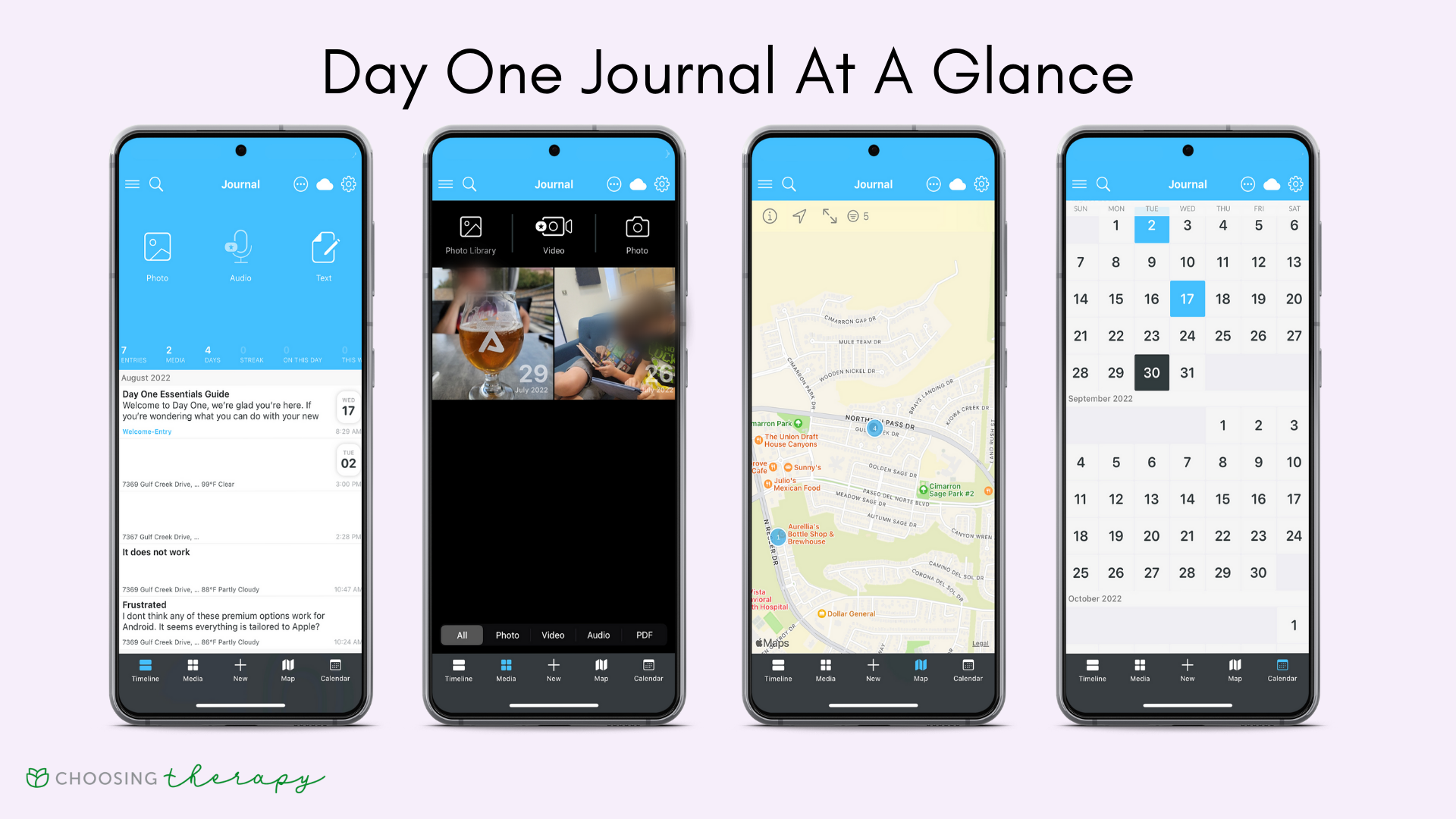
1. One Day journal
Day One Journal is a valuable option for creative thinkers because of its powerful multimedia features. Day One allows you to include photos, videos, and sketches.
You can even upload voice notes, capturing the sounds of nature on a relaxing hike, or transcribing voice notes into journal entries for thorough records.
2. Penzu
Penzo is an ideal choice for someone who values simplicity. Its minimalist design is similar to a WordPress template, encouraging an undistracted environment focused on writing.
Despite its simplicity, Penzo offers customizable journal covers, fonts, and backgrounds to add a personal touch.
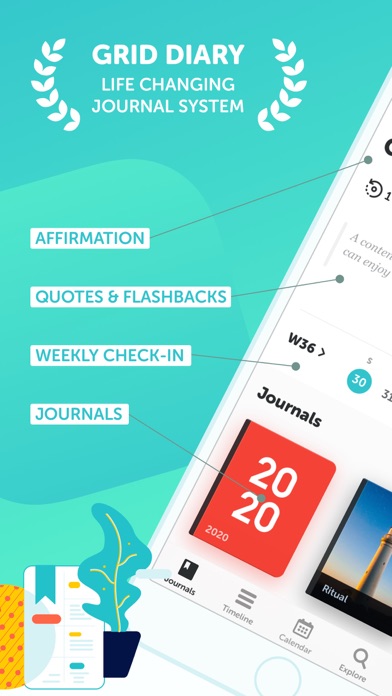
3. Grid Diary
With its structured templates Grid Diary makes the journaling process simple, to prompt deep thinking and focus on the areas you most want to improve. Rather than staring at a blank page, you’re given a grid with questions to inspire daily reflection and gratitude.
If you seek clear structure in your day-to-day life this design is beneficial. Specific, targeted questions combined with checklists and planners allow you to chart your moods, goals, and personal growth over time.
4. Daylio
Daylio stands out with its fun, experimental approach to self-improvement. Rather than written diary entries, Daylio lets you pick your mood and select the activities you did that day.
The visual approach creates a personal infographic, making it easy to spot patterns in your mood and activity over time.
Daylio is perfect for people who are more visually inclined or not interested in extensive daily writing.
5. Five Minute Journal
The Five-Minute Journal’s mission is to make you “happier in five minutes” using positive psychology, mindfulness, and gratitude methods to manifest happiness into your life.
The app prompts you to focus on cultivating gratitude, setting daily intentions, and nightly reflections.
The Five-Minute Journal is full of features to put a smile on your face, like daily inspiring quotes and streaks that show your progress. Likewise, weekly challenges can motivate you to improve beyond developing gratitude.
Conclusion
With the pace time flys it is important to journal all the special moments that made us happy. Journals reconnect with our inner being and can help keep track of our personal growth over time. So, why not have a journaling app?
Journaling apps are the best ways to capture each moment in our lives and keep them dear to us. They comes with amazing features that help you in your overall growth and personal development.
Money-Earning Game Apps – Top 5 Money-Earning Game Apps For 2025
Gaming just took a different turn and now pays in dollars. Earning money can be possible through other mediums, including playing games. 2025 should be when you can expand and have various income streams. So, why not try gaming? As silly as it may sound, some people still earn money just by playing games.
In 2025, making money while having fun is easier than ever, thanks to the rise of money-earning game apps. With these apps, you get creative ways to turn your hobby into real cash or rewards, whether through trivia, puzzles, or competitive games.
This is a rare opportunity to make money through hobbies, so we will look into everything you need about Money-earning game apps.
What Are Money Earning Games Apps?
Money-earning game apps allow you to play games and earn real money or rewards in real-time. These apps cater to various categories of gaming interests, from casual games to skill-based tournaments and scratch-offs. It depends on the interest and earning focus of the users on which games they decide to play.
Money-earning games include Trivia, card games, puzzles, and strategy games. In some of these games, you earn money and receive grants and rewards. Rewards where players can earn PayPal cash, gift cards, cryptocurrency, or even prizes like electronics and gift vouchers.
Why You Should Play Money-Earning Game Apps
There are numerous reasons why you should try money-earning game apps. They include the following:
Flexibility: These gaming apps allow you the leisure to play them and warm whenever it is convenient for you, whether during break or relaxation periods.
Earning potential: This is an easy way to earn extra income from anywhere globally. These gaming apps are not limited to certain locations and are very easy to navigate.
Global reach: This game has no time or location limitation.
Here are some reasons you should try these platforms to earn more money.
Top Money-Earning Game Apps for 2025
Here is our top list of money-earning game apps to try in 2025. The apps include the following:
Swagbucks – Earn Cash Through Trivia
Mistplay – Earn Rewards by Playing Android Games
InboxDollars – Cash for Playing Games & More
Skillz – Compete for Cash in Skill-Based Games
MyPoints – Earn Points for Playing and Shopping
Let’s get started.
1. Swagbucks – Earn Cash Through Trivia
The top on our list is Swagbucks. Swagbucks is a popular app where players earn money by answering questions correctly. While using this app, you can test your knowledge of different topics and areas of life and expand your knowledge base.
University students and technical geeks prefer these knowledge-based, easy, money-earning games. Players earn by accumulating “SB” points, which can be redeemed for PayPal cash, gift cards, or other rewards. This app is available across iOS and Android devices.
2. Mistplay – Earn Rewards by Playing Android Games
Next up, we have Mistplay. Mistplay is an awesome app designed for Android users who get to play games and earn money. It offers a variety of games in different genres, and the more you play, the more you earn.
This is one of the best game apps trending today. Players earn units for every game played, which can be further redeemed for gift cards to popular retailers.
3. InboxDollars – Cash for Playing Games & More
If you are looking for a versatile money-earning app, the InboxDollars app is the best choice. InboxDollars doesn’t just let you earn money from playing games. You also earn through watching videos, completing surveys, and shopping online.
Players can receive real cash via PayPal, check, or gift cards through this. Combining different tasks (games, surveys, and shopping) can increase earnings. Diversify your engagement for better earning.
4. Skillz – Compete for Cash in Skill-Based Games
We can’t forget the Skillz app. Skillz app is another app that you should try. Skillz offers skill-based games like puzzles, card games, and strategy games.
The best part is that you can compete in tournaments and win real cash prizes. The best part is that you must focus on mastering a few games to increase your chances of winning a tournament.
5. MyPoints – Earn Points for Playing and Shopping
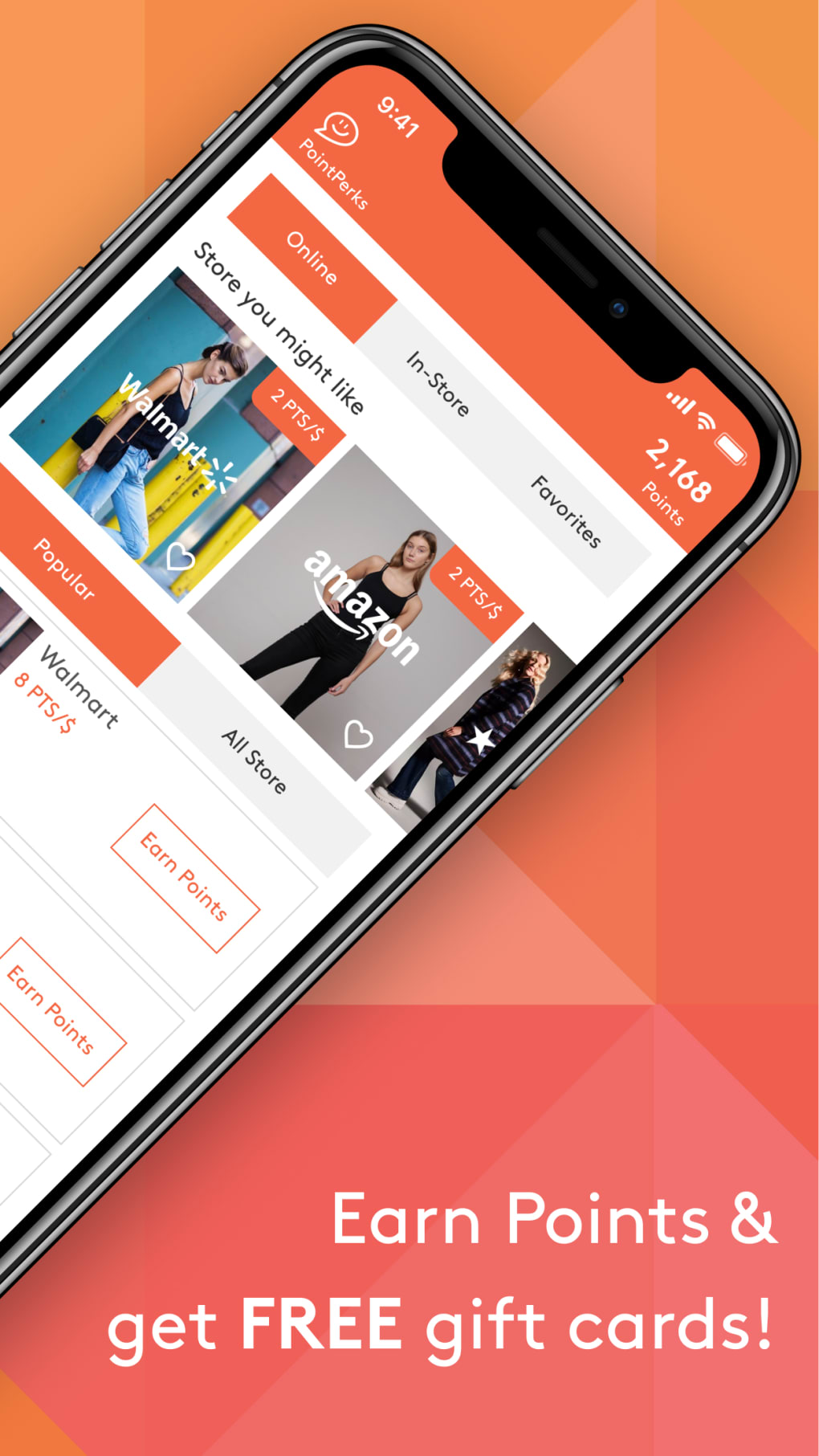
MyPoints app is a renowned platform for earning as well. You earn points by playing games, completing surveys, and shopping online. Once you accumulate enough points, you can exchange them for PayPal cash, gift cards, and other rewards.
Conclusion
Breaking a financial limit can be achieved in various ways, making having multiple income streams important. You can earn money with the smallest things you can think of, like playing games.
Earning more money doesn’t have to be stressful when money-earning game apps are available, making earning easier and more fun.
Some games allow you to earn money in real-time, regardless of time and location. There are a good number of games that provide earning potential for players. So why not try them out today?
Free Collaborative Research Apps – 5 Top Free Collaborative Research Apps
Research writing can be difficult for most people, especially when working alone. Research writing, which used to be tedious and time-consuming, no longer has to weigh you down as collaborative apps are designed to help make research writing easier.
Many may have heard of collaborative research apps but are still ignorant of how they work and how much they can help your research work. This article is here to tell you all you need to know about research collaborative tools and possible apps to try.
What Is A Research Collaborative App?
According to ResearchGate, Research collaboration can be viewed as a strategy employed by researchers to address the growing complexity and specialisation of scientific research, given that the majority of projects are becoming too large to be managed by a single researcher.
This means that research has gotten to a point where it can’t only be done and manged by one person, this is where a team comes in. Research collaboration cuts across connecting with different individuals across various places to brainstorm and work together on a single research document.
Research collaboration is only possible in this digital age with collaborative apps. Research collaborative apps are apps that helps you connect and track sections, research, edit and share files as a team. these tools helps workers connect and brainstorm on research topics while still keeping up with current adjustment or corrections made on the file.
You need a collaborative app that hass all the necessary features for a seamless work.
Features Of A Good Collaborative Research App
Data and resource sharing: A good collaborative app should be able to allow the team to share and receive data in realtime.
Collaborative writing and editing: Such an app should be able to allow multiple users to work and edit a work overtime.
Project management: When using any collaborative app you should be able to assign work and keep track of progress.
Access to research outputs: Such an app must be able to provide research results when necessary and share datasets to researchser when needed.
Global collaboration: A good research collaborative app should support multilingual capabilities and integration across different time zones.
Top Free Collaborative Reserach Apps
Research has been made easy with collaborative tools. Here are free research collaborative apps that would be of help to. They include the following:
MS Word
Google Doc
Scrivene
Zotero
Mendeley
Let’s get started.
1. MS Word
MS Word is an incredible app that has gained recognition over time. This app is an integration of the MicroSoft Office suit which makes it versatile and a perfect collaborative tool for you.
MS Word supports over one to six participants, and over 20 languages of the world. Additionally, it offers up to 6 TB of cloud storage (1 TB per person) and dictation, voice commands, and transcription.
2. Google Docs
Google Docs is an exceptional app that is ideal for all especially students. This app provides you with an activity trackers, collaborative tools, templates and document management tools that can be of help.
It also allows for real-time collaboration and syncing, so teams can work simultaneously on one document. Google Docs can also be integrted across all Google apps.
3. Scrivene
Here is another powerful research collaborative app, Scrivene. Scrivene uses a ring-binder metaphor to organize your manuscript, notes, and references. It provides you with amazing features which include auto-save and backup, Metadata, snapshots, set target amongst others.
4. Zotero
Zotero ia an amazing open source research app. With this app you get to collaborate remotely with project members, create web-based bibliographies, and more.
This app offers you up to 300 MB of file storage for a free account with options to upgrade and a Bibliography: language selection. Zotero is supported across various platforms including Windows, Mac, and Linux.
5. Mendeley
Mendeley is another excellent research paper helper you’ll love to try. This app has up to 1 GB of free online storage, with options to upgrade. As a users you get to store, note, and cite references, access cross-publisher articles, and import desktop documents in real-time. With an activity dashboard that provides you with all you need for seamless collaboration.
Conclusion
Working together gets the work done faster and more efficiently, research writing included. Collaborative research apps helps eliminate the tedious nature of research and brings about professional collaboration and brainstorming on research topics.
Research doesn’t have to take so much time when you have a team in place to work with. Collaborative research apps help provide a platform where you get to work on documents realtime and effect changes.
This goes beyond just the normal way of research to a more innovative concept to research writing.
Try the apps which we’ve reviewed for a seamless work experience with your team.
Dig out the release dates from 12 to 16 and major upgrades of iPhones from the iPhone 12 to the upcoming iPhone 30. Learn how Apple’s annual September announcements align with consumer trends and why the iPhone 12 series launch was delayed to October 2020.
September is when Apple typically announces its newest iPhone models. It only got different with iPhone 12, exhibited on October 13, 2020, and went on sale ten days later. This method was altered, thanks to the coronavirus pandemic who was the primary cause of the delay. That pandemic was responsible for not just delays but the manufacturing lags, lockdowns, restrictions in multiple countries, and disruptions to the supply chain.
These factors caused Apple to modify their production and launch timetables hence the slight delay in the release of iPhone 12 series than what they are used to experiencing. Nonetheless, for other models like the iPhone 13 and 14 series, Apple has gone back to releasing them every September same as it did before.
Why does Apple announce new iPhone models in September?
Apple usually makes product announcements in September, for a number of reasons, to include being in line with the back-to-school shopping season, exploiting the momentum of holiday shopping and leveraging seasonal product cycles as well as maximizing media attention. New releases in September enable Apple to sense higher consumer demand, build anticipation ahead of a holiday season and win headlines.
Besides, this strategy correlates with consumers’ buying patterns, stages of product life cycle as well as Apple’s ability to attract more than its fair share of media. Moreover releasing devices in September allows Apple to have time for production scaling up; maintain independence from other technological events that take place at the same time and follow an annual universal product timeline throughout.
Every year in September, at an event, the iPhone lineup is revealed. The phones typically launch a week or two later. The second Tuesday in September is usually the day for the iPhone and Apple Watch event.
Since the only iPhones we have here with us are from 12 to 15, the rest are hypothetical, and the release dates would be assumed. Upgrade assumptions will only be made for iPhone 16, as there are already some leaks and rumors about what it would look like. For the rest, I will only provide the release dates.
– Apple A15 Bionic chip
– Improved cameras with sensor-shift OIS and wider aperture
– Longer battery life
– Brighter display
-4-core graphics
– Increased storage options
iPhone 14
September 16, 2022
– Improved cameras with wider aperture (f/1.5 vs f/1.6) and features like Cinematic mode
– Increased RAM
– Emergency SOS via satellite feature
– Longer battery life
– 5-core graphics
– Bluetooth 5.3
– iOS 16 (upgradable to iOS 17.6.1)
iPhone 15
September 22, 2023
– Apple A16 Bionic chip
– Camera with higher resolution (48MP vs 12MP)
– New design with little larger dimensions
– USB Type-C port
– New colors (Black, Green, Pink)
– Ultra Wideband (UWB) support (gen2 chip)
– iOS 17 (upgradable to iOS 17.6.1)
– Smaller camera cutout (due to under-display Face ID sensors)
– Larger display size (6.27-inch and 6.86-inch)
– Solid-state buttons (instead of traditional buttons)
– Periscope super-zoom telephoto lens
– New camera tech
– Larger camera array
– Always-on display
– ProMotion support
iPhone 17
September 18, 2025
_____________________
iPhone 18
September 17, 2026
_____________________
iPhone 19
September 16, 2027
_____________________
iPhone 20
September 21, 2028
_____________________
iPhone 21
September 20, 2029
_____________________
iPhone 22
September 19, 2030
_____________________
iPhone 23
September 18, 2031
_____________________
iPhone 24
September 16, 2032
_____________________
iPhone 25
September 21, 2033
_____________________
iPhone 26
September 20, 2034
_____________________
iPhone 27
September 19, 2035
_____________________
iPhone 28
September 18, 2036
_____________________
iPhone 29
September 17, 2037
_____________________
iPhone 30
September 16, 2038
_____________________
Upshot
It has became part of Apple’s strategy to release its new iPhones each September which is also influenced by consumers’ buying patterns and peaks of shopping seasons. In terms of expectations of future releases, iPhone upgrades will always be able to establish new industry standards, with every model bringing something new and offering advanced technological features. This time, let us all prepare for the very best.
Discover the release dates and major upgrades of iPhones from the iPhone 12 to the upcoming iPhone 30. Learn how Apple’s annual September announcements align with consumer trends and why the iPhone 12 series launch was delayed to October 2020.
Usually, Apple releases its latest iPhone models in September. However, the company shifted its strategy and announced iPhone 12 series on October 13, 2020, which was released on October 23 two days later. This happened mainly because of the coronavirus pandemic which resulted in: Supply chain interruptions, delays in manufacturing, lockdowns and restrictions across some countries
These factors caused Apple to modify their production and launch timetables hence the slight delay in the release of iPhone 12 series than what they are used to experiencing. Nonetheless, for other models like the iPhone 13 and 14 series, Apple has gone back to releasing them every September same as it did before.
Why does Apple usually announce new iPhone models in September?
Apple usually makes product announcements in September, for a number of reasons, to include being in line with the back-to-school shopping season, exploiting the momentum of holiday shopping and leveraging seasonal product cycles as well as maximizing media attention. New releases in September enable Apple to sense higher consumer demand, build anticipation ahead of a holiday season and win headlines.
Besides, this strategy correlates with consumers’ buying patterns, stages of product life cycle as well as Apple’s ability to attract more than its fair share of media. Moreover releasing devices in September allows Apple to have time for production scaling up; maintain independence from other technological events that take place at the same time and follow an annual universal product timeline throughout.
Every year in September, at an event, the iPhone lineup is revealed. The phones typically launch a week or two later. The second Tuesday in September is usually the day for the iPhone and Apple Watch event.
Since the only iPhones we have here with us are from 12 to 15, the rest are hypothetical, and the release dates would be assumed. Upgrade assumptions will only be made for iPhone 16, as there are already some leaks and rumors about what it would look like. For the rest, I will only provide the release dates.
– Apple A15 Bionic chip
– Improved cameras with sensor-shift OIS and wider aperture
– Longer battery life
– Brighter display
-4-core graphics – Increased storage options
iPhone 14
September 16, 2022
– Improved cameras with wider aperture (f/1.5 vs f/1.6) and features like Cinematic mode
– Increased RAM
– Emergency SOS via satellite feature
– Longer battery life
– 5-core graphics
– Bluetooth 5.3
– iOS 16 (upgradable to iOS 17.6.1)
iPhone 15
September 22, 2023
– Apple A16 Bionic chip
– Camera with higher resolution (48MP vs 12MP)
– New design with little larger dimensions
– USB Type-C port
– New colors (Black, Green, Pink)
– Ultra Wideband (UWB) support (gen2 chip)
– iOS 17 (upgradable to iOS 17.6.1)
iPhone 16
September 20, 2024
– Smaller camera cutout (due to under-display Face ID sensors)
– Larger display size (6.27-inch and 6.86-inch)
– Solid-state buttons (instead of traditional buttons)
– Periscope super-zoom telephoto lens
– New camera tech
– Larger camera array
– Always-on display
– ProMotion support
iPhone 17
September 18, 2025
_____________________
iPhone 18
September 17, 2026
_____________________
iPhone 19
September 16, 2027
_____________________
iPhone 20
September 21, 2028
_____________________
iPhone 21
September 20, 2029
_____________________
iPhone 22
September 19, 2030
_____________________
iPhone 23
September 18, 2031
_____________________
iPhone 24
September 16, 2032
_____________________
iPhone 25
September 21, 2033
_____________________
iPhone 26
September 20, 2034
_____________________
iPhone 27
September 19, 2035
_____________________
iPhone 28
September 18, 2036
_____________________
iPhone 29
September 17, 2037
_____________________
iPhone 30
September 16, 2038
_____________________
Upshot
Apple’s tradition of releasing new iPhones every September has become a key part of their strategy, which is driven by consumer buying patterns and the timing of major shopping seasons. As we look forward to future releases, the iPhone’s evolution will always continue to set new standards in the smartphone industry, with each model offering cutting-edge features and innovations. Let’s all get ready for the very best.















 Besides, this strategy correlates with consumers’ buying patterns, stages of product life cycle as well as Apple’s ability to attract more than its fair share of media. Moreover releasing devices in September allows Apple to have time for production scaling up; maintain independence from other technological events that take place at the same time and follow an annual universal product timeline throughout.