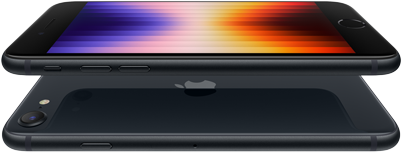
In this category on User Guides/Reviews, we will provide user guides to help you navigate and utilize apps effectively.
Additionally, we encourage our community to submit their own app reviews and ratings, creating a platform for user-generated insights. Isn’t that beautiful? Yes, your reviews and contents are also welcomed.
How To Save Nano Banana Images – Step-By-Step Process On How To Save Gemini Nano Banana Generated Images To Your Smartphones
If you are an AI enthusiast and you don’t know of the Gemini Nano Banana feature or how to save Nano Banana-generated pictures to your smartphone, then there’s a problem. You don’t need to be told that AI Image generation has taken a leap in 2025.
Image generation has become an active part of our daily life, and as such, you need to be knowledgeable in how to use AI Image generators and how to save images directly to your smartphone.
This is why we would walk you through the process of saving Gemini Nano Banana images directly to your smartphone, be it Android or iOS.
Step-By-Step Process On How To Save Gemini Nano Banana-Generated Images To Your Smartphones
For you to be able to save Gemini Nano Banana-generated images to your smartphones, follow the outlined steps below:
Open the Google Gemini app on your smartphone and sign in to your account.
Tap “Add files” and upload the photo you want to edit, or create a new one from scratch.
Once the image has been generated or edited to your liking, tap the image to open its menu.
Select the download or save option to store the image on your phone’s device.
Conclusion
Move along with the trend in AI tools. AI tools have come to make our lives easier and much better. You no longer have to worry about image generation when there are apps like Gemini for image generation and photo editing.
Don’t think Gemini is the only AI tools that is buzzing the internet when there is Sora AI video generator.
In our next post, we will look at Sora AI video generator. We hope this post was helpful for you.
Wave Accounting App – Pros, Cons, And Everything About Wave Accounting App
Wave is a dream come through for small businesses and self-employed entrepreneurs who need a free accounting app for their essential needs.
For small businesses with fewer than 10 employees, freelancers, and other service-based businesses on a budget, Wave is the ideal app for you.
This app is equipped with all the basics of accounting like income and expense tracking, invoicing, and reporting and is very easy to use.
However, like most products with free plans, Wave has limitations, especially compared to more scalable small-business accounting software.
Although Wave’s paid plan offers additional features, it still lacks some more advanced capabilities, like built-in inventory tracking and audit trails, that growing businesses might need.
How does Wave Accounting work?
Getting started
You can sign up for Wave quickly and easily online. After providing basic details about your business — name, type, currency you use, address — you’ll have instant access to your account.
Connecting your accounts
Your main dashboard will show your cash flow, profit and loss, invoices, bills and other financial insights once you log-in.
From the dashboard (or the Banking menu on the left-hand side), you can connect your bank and credit card accounts to automatically download and categorize your transactions if you opt for the paid Pro plan.
When you reconcile your books, you’ll navigate to the “Reconciliation” tab within the Accounting menu.
If you need to edit, add or remove any transactions manually, you can do so on the Reconciliation or Transactions pages. Next, you can add sales tax (if necessary), create customer profiles and customize your invoice templates.
Pricing And Features
Price:
$0 for the Starter plan.
$16 per month for the Pro plan.
Features:
Unlimited income and expense tracking.
Unlimited invoicing.
Ability to turn estimates into invoices once approved.
Ability to accept online credit card and bank payments within invoices using Wave Payments (fees apply).
Customizable sales taxes.
Unlimited bank and credit card connections in the Pro plan.
Exportable, basic accounting reports and financial statements.
Dashboard monitoring for cash balances and invoice statuses.
In addition to its accounting software, Wave offers other paid services, including Wave Payments, Wave Payroll, and Wave Advisors, which provide bookkeeping support and accounting coaching.
Benefits Of Wave Accounting App
Wavw Accounting app has lots of benefits which we’ll look into and they are:
Free Plan Available
Customizable Invoicing
1. Free Plan Available
It’s hard to beat free accounting software, especially if you’re running a small business on a budget. Wave’s free plan offers a decent number of features, like unlimited invoices, not always included with other free accounting software options, let alone paid accounting software plans. It also complies with accounting standards and uses double-entry accounting, which can help ensure accuracy.
2. Customizable Invoicing
Wave’s invoicing is free and unlimited, with customizable templates and a user-friendly interface, putting it on par with some of the best invoicing software solutions for small businesses. Pro plan capabilities include recurring invoicing and letting repeat clients opt into automatic credit card billing.
In addition, With Wave’s mobile app you get to send invoices and track payments on the go. The app also offers a receipt-scanning feature, with a subscription fee to access it. There’s a fee involved with accepting online invoice payments, too. Customers can pay via credit card, bank payment or Apple Pay.
Drawbacks Of Wave Accounting App
Like all apps there are certain qualities that may not be found in the Wave Accounting app and we will look into them. Here are some of the drawbacks of wave, they include the following:
Not Scalable
Limited Customer Service
1. Not scalable
Wave Accounting can be a great option if you run a small service-based business or don’t need more advanced features that alternatives might offer. For small companies any larger than that, however, Wave is limited.
Unlike competitors, Wave doesn’t offer many advanced features to increase the software’s functionality. It’s also missing an audit trail and third-party integrations.
2. Limited customer service
Unless you subscribe to the Pro plan or one of Wave’s other paid products (e.g., payroll, payments, mobile receipt scanning or one-on-one coaching) Wave Accounting only offers self-serve customer support through its chatbot and help centre.
Paying users have access to live chat and email support Monday to Friday from 9 a.m. to 4:45 p.m. ET, but one-on-one phone support requires a subscription to the Wave Advisors program. Though it’s not uncommon for free accounting plans to come with less customer support than paid ones, some free products still let you communicate with a human to solve an issue.
Conclusion
Wave Accounting App just like every other app may not have all the qualities which is needed for various accounting functions but it is one of the best free available apps for small businesses. Wave Accounting App offers various exceptional features to its users and cn be trusted for your business accounting needs. Try Wave today.
You are about to discover the perfect iPhone SE color for your style with our comprehensive piece. Explore color options for all iPhone SE models from 2016 to 2022, and learn how to choose the best hue based on your lifestyle, durability needs, resale value, and personal preference. Find the ideal match and make a statement with your iPhone SE.
Even though the iPhone SE is already designed in a manner that is very appealing to the eyes and hands, aesthetics still matter, especially when portraying your lifestyle or preferences. Choosing colors can be a huge task and a big deal for some people, while others might not mind the color as long as the iPhone can call their favorite people and chat.
For you to have seen this post, it means you might be having difficulty choosing a color because you don’t know all the options available. But we’ve got you covered, and now you can heave a sigh of relief.
This guide is about iPhone SE color choices and will help you find the perfect match for your style. And guess what? It covers all the models of the iPhone SE, from the very first one released to the iPhone 2022, so it’s worth the read.
Choose colors based on:
Your lifestyle: You might not need a black phone if an iPhone SE white color is perfectly safe in your hands.
Durability: Some colors can hide scratches and fingerprints, e.g., black.
The silver iPhone SE exudes a clean and sophisticated aesthetic and seamlessly blends with the phone’s chamfered edges and black bezels. The silver color creates a refined look, perfect for both professional and casual settings.
Space Gray
The dark gray color option attracts users who prefer a more subtle aesthetic. It is a favorite among those who value a hint of luxury and refinement in their daily tech accessories.
Rose Gold
This was a new color for the small iPhones, but it was the same one they had on the iPhone 6S and 7. It wasn’t something everyone would like – it is kind of pink, you know? Women loved it more.
iPhone SE 2020
Black
It seems I am the only one who has noticed that each model of the iPhone SE has unique colors for every model, and only this one has black. Black is a naturally cool color that can match any personality and any gender. If you are really confused with colors and combinations, then just go with black.
White
Everyone knows that white is a classic color that never goes out of style. Like black, it goes with whatever you wear and matches any personality. For some people, white represents purity, cleanliness, and godliness.
(PRODUCT)RED
The (PRODUCT)RED iPhone SE is fire. It’s a bold statement piece, perfect for someone who doesn’t shy away from standing out. But it’s not all about looks – with every (PRODUCT)RED purchase, you’re helping fight COVID-19. Part of the money goes to the Global Fund, so you can rock a cool phone and do good at the same time.
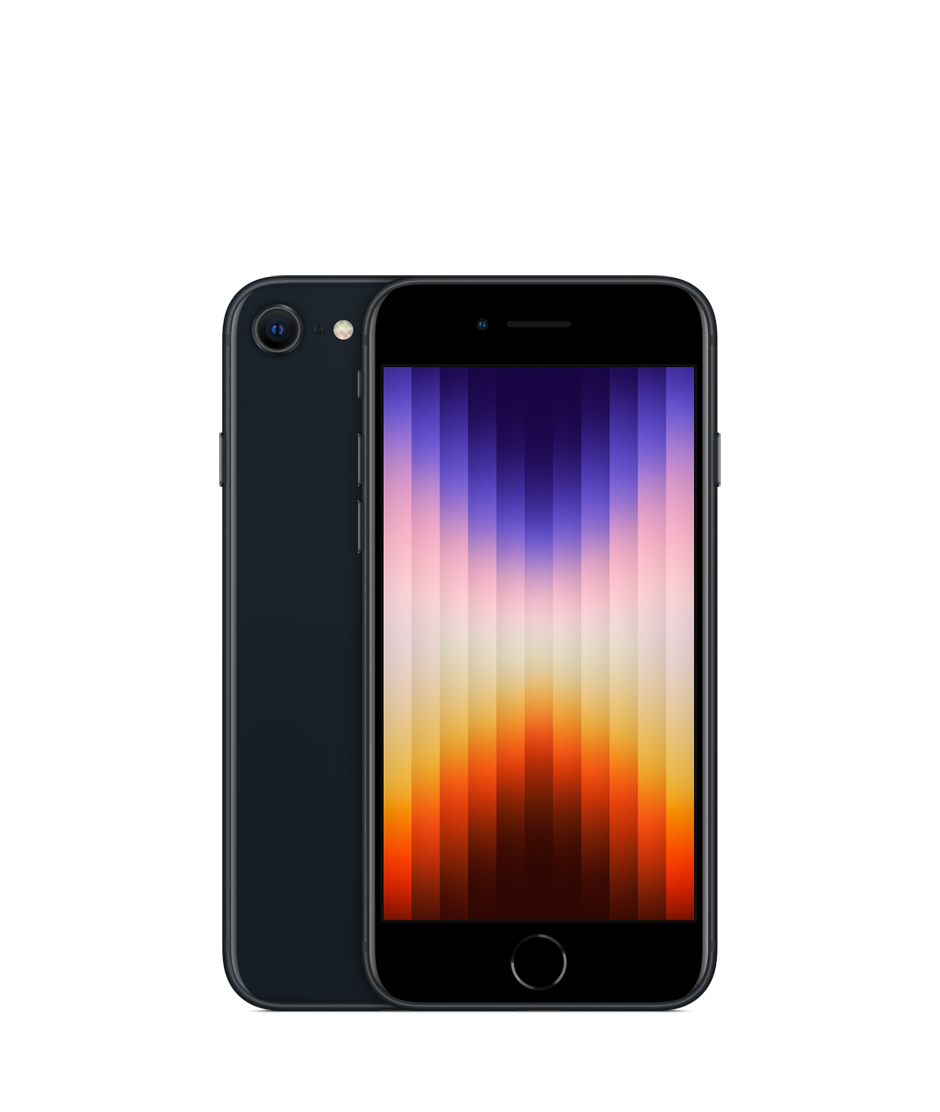
The Midnight iPhone SE color appears to have a glossy finish, which means it would often show fingerprints. If your lifestyle doesn’t allow for frequent cleaning, then I suggest you go for something different. Otherwise, this color is a true beauty and looks close to black.
Starlight
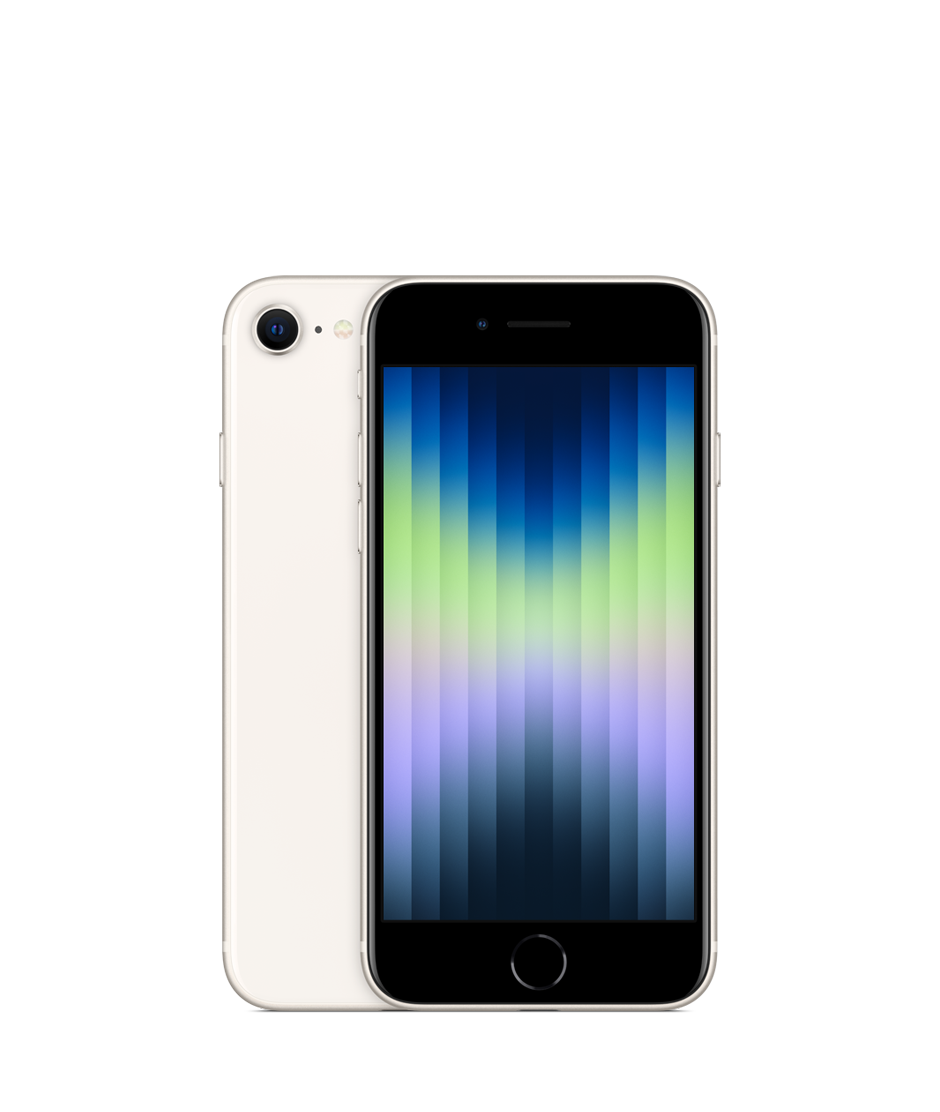
A slight departure from the traditional white, the Starlight color offers a warmer tone with a hint of sophistication. It provides a clean and polished look while potentially hiding fingerprints more effectively than the stark white of previous generations. This option resonates with users who appreciate a bright and modern aesthetic without sacrificing practicality. The silver frame and Apple logo complement the white beautifully, creating a cohesive look.
(PRODUCT)RED
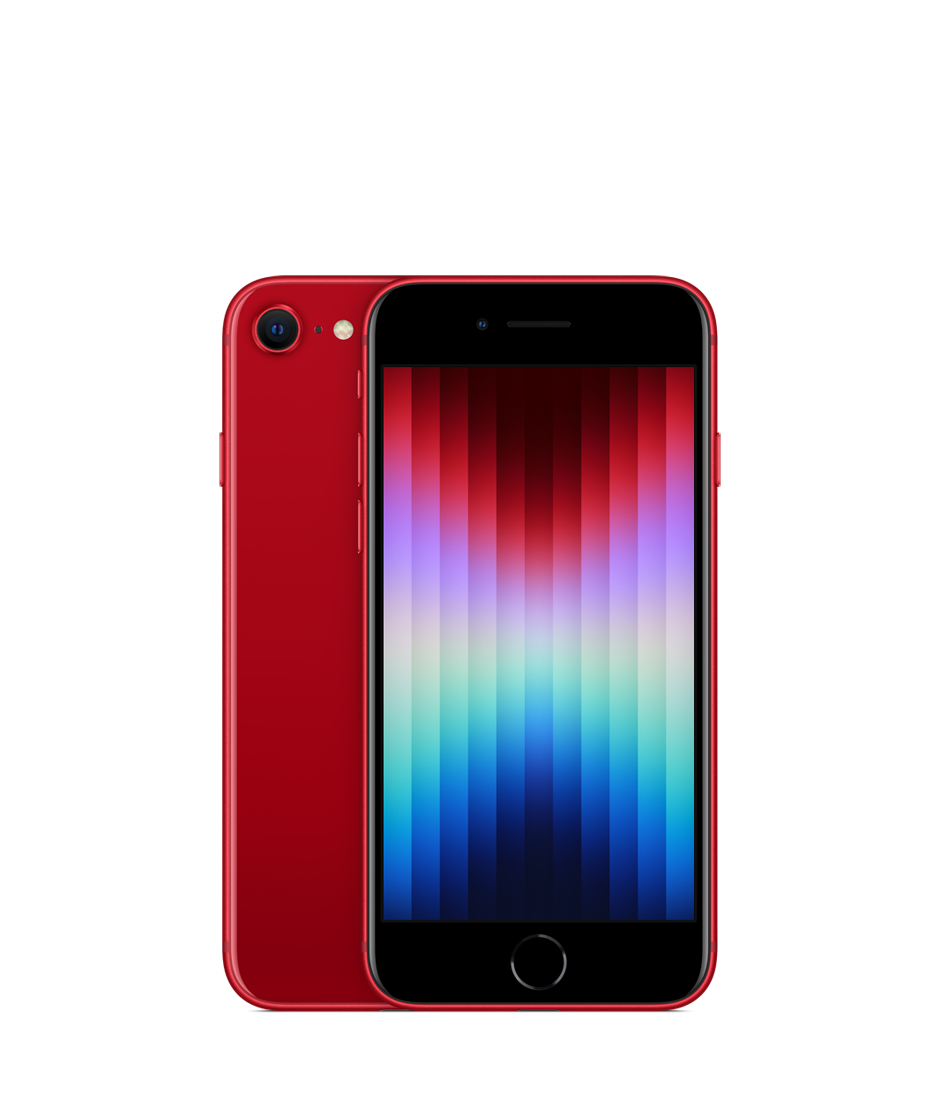
This iconic red color continues to be a popular choice, balancing bold aesthetics with a commitment to a social cause. It’s perfect for users who want to express their individuality while supporting a worthy initiative.
Upshot
<
p style=”text-align: justify;”>There’s no single best color for the iPhone SE. The perfect choice depends on your individual style, preferences, and lifestyle. Consider the points mentioned above, and don’t be afraid to experiment with cases and personalization options to create an iPhone SE that reflects your unique personality or style.
Hunting for the perfect iPhone SE deal? This guide reveals the TOP 6 online stores to get your iPhone at the best price. From local giants like Jumia and Konga to seeking out with Fast Shop, we’ve got you covered. Plus, essential tips to avoid scams and ensure a smooth purchase. Find your perfect iPhone SE match today.
It is no secret that the Apple company has given users who can’t afford their pricy models a chance to own the iPhone SE, which also grants an enjoyable experience in a miniature package. But where do you find the best deal online?
It’s one thing to think of purchasing the phone; it’s another thing to score the best deal. However, this piece of writing will provide six very popular e-commerce platforms to help you grab your iPhone SE at the perfect price, from Flipkart to Fast Shop. So just hang on and enjoy the ride.
These platforms are trustworthy, and vendors on them are registered and trusted as well. Although, you should make sure not to make any transactions whatsoever until you are convinced that the business is legitimate and will sail through.
Shop on established e-commerce platforms with a strong track record for security.
Check each platform for the listed price of the iPhone SE model you desire. Compare the prices and features, then factor in any discounts or promotions offered.
Look for seller ratings and reviews on each platform. Go for trusted sellers with a history of positive customer experiences.
Verify if your preferred payment methods are available on each platform (e.g., debit card, credit card, mobile wallets).
Please, always ensure the iPhone SE comes with a valid warranty; this is very important.
If a price seems too good to be true and it probably is. Make findings to gauge the typical market price for the model. Ask the vendor questions about what part of the phone is bad or isn’t functioning well before you jump in.
Always look for the padlock symbol in your browser’s address bar when entering payment information. This is to ensure a secure connection.
Compare delivery timelines and associated costs across platforms. Consider if express delivery is worth the extra expense.
6 Popular E-commerce Platforms to Buy Your iPhone SE From
Flipkart
Flipkart is one big online store in the Indian market and has recently expanded its reach to Nigeria. This e-commerce giant gives a wide variety of electronics, including iPhones. They are the new kid on the block. they are eager to make a name for themselves with competitive deals and a user-friendly platform.
Pros:
As a new entrant, Flipkart renders attractive offers and discounts to capture the market; you will definitely score the best deals there.
You’ll find a variety of iPhone SE models to choose from a vast electronics catalog.
Cons:
Since Flipkart is relatively new in Nigeria, they have a limited track record, and there might be fewer customer reviews and seller ratings available compared to more established platforms. So, you can program your mind not to expect too many good/bad reviews.
Jumia
Jumia has already made a name for itself in the country’s online space, not just known for selling phones and other electronics but a wide range of so many things you can’t even imagine. It is a dominant force in African e-commerce.
Pros:
With a massive selection, Jumia increases your chances of finding whatever iPhone SE model you’re looking for.
Jumia features products from various sellers, so you can compare prices.
Jumia’s long-standing presence gives you access to a platform with a trusted track record and more customer reviews.
Cons:
While uncommon, there might be a slightly higher risk of encountering counterfeit products on platforms with a wider range of sellers.
Jumia prices are not negotiable.
Konga
Konga is another prominent Nigerian online retailer, offering a huge product catalog that includes the iPhone SE. While Jumia might be the bigger brother, Konga has carved out its own space in the market. Konga has built a loyal following in Nigeria, especially among those who appreciate good deals and reliable delivery. They’re known for being competitive on price, so be sure to check them out when comparing iPhone SE options. No matter if you’re looking for a specific storage size or a particular color, Konga has what you need. Plus, they offer convenient payment plans and delivery options.
Pros:
Konga understands the Nigerian market and offers localized deals or promotions on the iPhone SE.
Being a well-established Nigerian brand, Konga inspires greater confidence in terms of customer service and product quality.
Cons:
Konga does not specialize in vast electronics options compared to some competitors. So, the iPhone SE selection might be smaller.
Slot is a well-known Nigerian electronics retailer, and the good news is they’re not just about physical stores anymore. Slot also has a thriving online presence. You can also exchange your old phone and top up money to get a new one after they have assessed how bad or good your old phone is. Since they primarily deal in phones, you can rest assured you will get exactly what you want and even more.
Pros:
Slot’s established reputation in the electronics sector translates to a level of trust when purchasing an iPhone SE online.
If you prefer the reassurance of seeing the iPhone SE before purchase, Slot allows you to buy online and pick up in-store.
Slot’s staff have a deeper understanding of electronics and offer more technical advice on iPhone SE models because they primarily deal in phones.
Cons:
The online store does not offer the same extensive selection as some pure-play e-commerce platforms.
The online store’s layout is less intuitive.
Jiji.ng
Jiji.ng is a popular online marketplace in Nigeria that specializes in classified ads and e-commerce. Unlike other online shopping platforms, which are more traditional e-retailers, Jiji.ng focuses on connecting buyers and sellers directly. There is a vast collection of products from various sellers across Nigeria there. It stands out for its competitive pricing. With Jiji.ng, you can find deals on new and used iPhone SE models, compare prices, and interact directly with sellers.
Pros:
Prices on Jiji.ng are often lower than those on traditional e-commerce sites.
You can communicate directly with sellers, enabling price negotiations.
Cons:
As a marketplace, Jiji.ng doesn’t guarantee product quality or authenticity, so you must be cautious when purchasing from sellers.
Meeting strangers to complete transactions can be risky, especially if buyers ask you to meet in person.
As with any online marketplace, especially one like this, there is a risk of fraudulent activities.
Fast Shop
Fast Shop isn’t your typical Nigerian e-commerce platform. This popular online retailer originates from Brazil and presents a chance to check out international iPhone SE deals. However, before embarking on this global shopping expedition, consider these factors:
Pros:
Occasionally, international retailers presents competitive prices on electronics due to currency fluctuations.
Fast Shop have access to different iPhone SE models or variations unavailable in Nigerian stores.
Cons:
International shipping can be expensive and time-consuming.
Warranty coverage and return policies is more complex when dealing with an international retailer.
Be aware of potential import duties and taxes that might be added to the final cost of your iPhone SE upon arrival.
Upshot
<
p style=”text-align: justify;”>The quest for the perfect iPhone SE is really an exciting adventure, but it requires caution and thorough research. Also, looking for the perfect iPhone SE online doesn’t have to be a daunting task. With the guide above, you can navigate the Nigerian e-commerce landscape like a pro. Always consider factors like price, seller reputation, warranty, delivery options, and your own risk tolerance when making your decision.
iPhone SE vs. iPhone 6 Series – A Detailed Comparison
Grappling with the dilemma of selecting between the iPhone SE and the iPhone 6 series? You’re not alone. This comprehensive guide will serve as your trusted advisor in determining which device aligns with your personal preferences.
The iPhone SE is akin to a sleek and agile companion, operable with a single hand. The iPhone 6 and iPhone 6S, on the other hand, boast expansive displays designed to amplify your visual experiences. We’ll also scrutinize storage capacity (the amount of data you can store on the device) and image quality, as these factors are equally important. By the conclusion, you’ll possess the expertise to select the device that perfectly harmonizes with your needs. Let’s embark on this journey of discovery.
3 Essential Tips for Buying a Second-Hand iPhone SE
Welcome to the guide to buying a second-hand iPhone SE. Learn how to avoid common pitfalls, and ensure a smooth purchase experience. Get tips on storage capacity, physical and functional condition, authenticity verification, and more. Read now and make the most of your used iPhone SE purchase.
Getting yourself a second-hand phone is not a bad idea. Come to think of it, a lot of used phones are still in good condition; the owner may simply want to get a bigger or smaller version. The iPhone SE series, as we all know, is cheap, so getting a used one makes it even cheaper. Whatever the reason may be for you to get yourself a second-hand iPhone SE, I’ve got your back. Just stick to some piece of tips that I have to offer, you’ll find them useful. This is a guide for consumers who are considering purchasing a second-hand iPhone SE. It will provide helpful information to assist you in making an informed decision.
Things to Check Out Before Buying
Storage Capacity
Looking out for storage when purchasing a used iPhone SE is like choosing shoes—you have to get the right size. Your feet won’t shrink or expand later, and similarly, iPhones can’t add more storage later, so get it right from the start.
Think about what you use your phone for most. If you take lots of pictures or love downloading games, you’ll want more storage space. But if you just use your phone for calls, texts, and browsing, you might be okay with a smaller size.
The bottom line is, check the storage before you buy, even before you inspect for tiny cracks. It might not be the most exciting part, but it’ll save you headaches down the road.
Physical and Functional Condition of the Device
This is where checking the details comes in. Some previous owners might do anything to sell their problematic phone, hiding faulty parts inside a phone case. Even if you are in a hurry, please take the time to remove the phone from the case and inspect every angle for its physical condition. If it looks “very neat,” you can then proceed to check its functionality.
By “functional condition,” I mean how well the device actually works, its ability to perform its intended tasks and operate all its features properly, beyond any cosmetic scratches or dings.
Run a quick check on the IMEI and serial numbers
Nobody wants a to buy a fake phone, right? Especially if you’re not buying from a bestie or fam, let’s show you how to do a quick check to make sure that iPhone SE isn’t a fake or stolen. First, locate the phone’s fingerprint – the IMEI number is what I actually mean, it’s like the phone’s fingerprint. You will find it in Settings, or just dial *#06# on the phone itself. There’s also a serial number in Settings, find that one too. Once you have those, grab the receipt you’ll get when you buy the phone and see if the numbers match perfectly.
If that sounds like a bit much, search IMEI.info on your browser. Pop those numbers in there, and it’ll tell you all the phone’s specs, like how much storage it has, and even confirm if the warranty and support are legit. Also, a bonus tip: never buy a used phone without a receipt.
Ask for the iPhone’s purchase details
Unless you’re absolutely sure you can trust the seller, be careful buying a used iPhone SE. What if the person selling it isn’t the original owner? Here’s what to do: ask them for the receipt they got from the store when they bought the phone. This way, you can check if their name matches the receipt and see if the warranty is still valid. This is a big deal for your security, so don’t take any chances.
Other pre-Purchase Checks
By taking the phone on a physical test drive, you can avoid any nasty surprises and ensure you’re getting a phone that works for you and your taste. Don’t trust the seller’s word alone. Before you hand over your cash, ask them to show you the phone in action, and after they do, here’s what you are to look for:
Make sure the speaker sounds clear and the microphone picks up your voice well. Have a quick phone call conversation with the phone to test it out.
Ask the seller to open the camera app and take a test shot. See if the quality is good and if the zoom function works smoothly.
Make sure all the physical keys (like the power and volume buttons) click and respond when pressed.
Most phones will show you battery health in the settings. Ask the seller to navigate to that section and show you the phone’s percentage.
Check the charging port, headphone jack, and any other ports for any damage or debris.
Don’t let vendors dismiss your concerns as nitpicking – it’s your money, and you have the right to be meticulous. To ensure a smooth purchase, it’s recommended to buy second-hand phones in person.
What affects the cost of a used iPhone SE?
While you may assume that all second-hand iPhones are cheap, several factors can determine if the phone would be expensive or not. Let’s see what these factors are. If the phone is in good condition, it’s more likely to be expensive than a broken one, although not as expensive as a brand new iPhone SE. Older models of the second-hand iPhone will be cheaper than the newer ones. The storage capacity of the phone also determines why it shouldn’t be sold for a joke price, lower memory options are cheaper and larger ones are more expensive.
However, I’d like to suggest a welcome alternative, a refurbished iPhone SEs. These are used phones that have been restored to near-new condition, and can be a more reliable option. I recommend this due to the risks involved in buying a direct second-hand iPhone SE.
Why a refurbished iPhone SE might be a safer choice
Some damages, like water damage, corrosion or internal issues, may not be immediately apparent. You may now face unexpected problems with the phone later on.
Second-hand iPhones usually don’t come with a manufacturer’s warranty.
Some second-hand devices may have replaced parts that are not genuine
Buying from an illegitimate vendor will fetch you a defective device.
Fake iPhone SE’s may look authentic but are actually cheap imitations
If the previous owner was involved in some fraudulent activity, then the unlawful activities may be traced back to you
You may not be able to return the phone if it doesn’t meet your expectations.
Upshot
<
p style=”text-align: justify;”>Buying a second-hand iPhone SE is a good idea, but it’s paramount to be aware of the future risks and take necessary precautions. The tips and guidelines outlined in this guide, can help you make an informed decision and ensure a successful buying process. Remember to prioritize storage capacity, physical and functional condition, and authenticity verification. Always ask for purchase details and test the phone thoroughly before making a payment. If you’re unsure if to buy a used iPhone SE or not, consider opting for a refurbished one for peace of mind.
Complete iPhone SE Storage Options – 16GB to 256GB Review
Ditch the outdated! Nowadays, phone choices go beyond just color (remember those good old days?). iPhone SE is not just about the looks. Get the storage that fits your world – are you a casual user, a gamer, or even content a creator. Find your perfect fit.
The iPhone SE has made waves since it came out in 2016. It’s gotten better with each new version. I mean, not a single version comes out without at least a few new features each time. Sure, it’s super sleek, small, and affordable compared to other iPhones, and the price can vary depending on where you live. But before you buy one, you have to think about how much storage you need.
There are tons of reasons why people might get an iPhone SE: for everyday use, gaming, photos, creating content, heavy use, or anything else you can imagine. Picking the right storage size for your needs will save you from saying “Ugh, this phone is full!” or “This phone is way more than I need for just calls” in the future. It will only cost you some extra bucks of course.
Here is why you should think hard before making up your mind about the storage choice to go for in the iPhone SE series;
Choosing the bigger storage upfront is like making a decision now that will not affect you down the line.
Unlike some computers, you can’t add more storage later to an iPhone SE model. What you choose is what you get.
iPhone SE’s don’t have slots for memory cards, so you’re relying solely on the phone’s built-in storage.
16GB Storage Option
The 16GB iPhone SE is a great fit for someone who uses their phone for the basics: browsing, chatting, texting. But, if you’re a photo fiend, a video game fanatic, and love jamming out to your music collection, this model might feel like a pain in the tooth. Here’s what you can expect;
Love snapping pics on the go? Travel a lot? A 16GB model might not really be your style, because with all those travel photos and videos, that storage space is just going to disappear fast.
Imagine you buy a 16GB iPhone SE, thinking you have that much space for your stuff. But it’s like the phone takes a bite out of it for itself first(due to storage occupied by iOS). In reality, you only have around 12GB left for yourself.
Installing a few apps can quickly eat up your phone’s memory. Some apps can be quite large, typically ranging from 50 to 100MB. Others can be even bigger, I mean at over 1GB.
Free iCloud storage fills up fast, it is only a 5GB to storage. Upgrading to a measly 50GB costs almost £1 a month, which can add up over time. And let’s not forget data plan charges. Those can guzzle your budget if you’re constantly downloading stuff. Saving things directly on your device can be a much lighter blow to your wallet.
Get ready for those “storage full” very annoying pop-ups every single time. You will now constantly juggle which apps to keep and which to ditch.
Forget about saving your music collection and those funny videos on a 16GB device. There just won’t be enough room for them.
32GB Storage Option
The 32GB storage option is more like a big brother to the 16GB – a little more space, but not really a massive leap. It’s manageable, but you might need to be strategic with how you use it. Here’s the deal:
Tini-mini things like Calling, texting, and browsing shouldn’t fill up 32GB too fast.
Keep in mind, the actual usable space is more like 27-28GB thanks to the operating system.
If you love shooting 4K videos or storing lots of video files, you’ll probably not need this option. This’s because it can hold only 10 minutes of 4K video.
You can download a decent amount of apps and games, but don’t go overboard.
Storing a big music library, especially with high-quality files, can be tough with 32GB.
Also storing photos, videos, apps, or games may quickly exhaust the 32GB storage.
You might find yourself deleting some apps or games to keep your favorite photos and videos.
A quick thing to note:The 16GB and 32GB options applies only to the 1st generation iPhone SE. However, they are no longer available, the newer ones offer bigger storage.
64GB Storage Option
The 64GB might seem okay at first, but it can get tricky for most people. It’s enough if you’re a careful manager of your phone’s storage space. Think of it as perfect for kids or grandparents who don’t use their phones for a ton of stuff. Here’s what to consider:
It can handle general use, but don’t expect miracles.
Remember, you’ll actually have around 50GB usable space after the system takes its cut.
This option works well if you have good Wi-Fi and don’t need to store a lot directly on your phone.
You can store tons of pictures (around 14,850), but videos will eat up space quickly.
If you use cloud storage for photos and videos, you might be okay with 64GB.
Downloading movies and shows will gobble up space fast.
Most popular games fit here, but be careful not to go overboard.
You might need to regularly clean up space to keep things running smoothly.
Just keep being mindful of how many apps and games you download.
128GB Storage Option
The 128GB iPhone SE is such a sweet spot for many users, especially power users and photo professionals. In short, it lets you use your phone to its full without always worrying about storage. Here’s why:
Out of 128GB, you get around 117GB to play with. That’s a lot of breathing room for apps, games, photos, and videos.
No more worrying about updates or giant games filling up your phone. Apps and games now can be hefty (think 2-5GB each).
You can store a whopping 35,400 photos! Now go capture all those memories.
Stream 10 hours of Netflix HD video without a sweat. Perfect for lazy Sundays.
Most games will run smoothly here, even resource-intensive ones like PUBG. Dear gamers, just don’t go downloading everything.
Planning to keep your phone for a long time? The 128GB gives you the space you need for useful for years.
Store all your favorite songs without worrying about running out of space.
256GB Storage Option
The 256GB iPhone SE is the don of storage for iPhone SE models (although some other iPhones go up to 1TB). It’s not for everyone, it costs more. Basically, the 256GB option is for those who need serious storage and want the freedom to capture, create, and store without limits (usually content creators and the digital packrats). Now, let’s get down to the crazy amount of stuff you can store:
After the operating system has taken its share, you will be left with approximately 246 free storage, that is still a lot.
It can hold over 720 minutes of 4K video. Perfect for videographers and editors who need to shoot, save, and upload such videos.
Say Goodbye to needing iCloud or streaming services to free up space.
You can store a mind-blowing 70,000+ photos.
Upshot
<
p style=”text-align: justify;”>To wrap up, choosing the right storage option for your iPhone SE is pivotal to ascertain an easy and enjoyable user experience. With the various storage options available, from 16GB to 256GB, please consider your needs and habits before making that decision. Selecting the appropriate storage size will save you from the frustration of running out of space or constantly managing your storage. Remember, the bigger storage options offer more flexibility and freedom to capture, create, and store without limits, unless it is for kids and grannies. So, think hard before making up your mind, and choose the storage option that fits your world.
iPhone SE in the Global Market – Price Variations and Accessibility
It’s no secret that iPhone SE models are the Apple’s budget-friendly phones. As you already know, the Apple’s products are luxury items. Yet, the iPhone SE models offer a classic experience without draining a wallet.
The iPhone SE 2 was rated 9th position in 2022. According to the Counterpoint technology and market research firm, it grasped a 1.1% share of all smartphone sales that year. However, it didn’t make it to the top 10 in 2023 and in the first quarter of 2024. Apple’s iPhone claims a whopping 23% global share of the smartphone market, I mean, more than any other phone manufacturer.
The number of iPhone users has increased tremendously, a sum of 1.334 billion users was garnered in 2023. Now, that number of people suggests a very strong global demand for the brand, and iPhone SE, as a part of Apple’s iPhone lineup has not been left out on this demand and global presence.
Pricing
The iPhone SE has now become popular; however, the prices vary significantly around the globe, okay the prices does, but the accessibility doesn’t. Having cognizance of the factors that influence the pricing of these phone models can be complex. Knowing how the price of this commodity changes across different places can be really eye-opening too. It helps you see what’s really going on in the market. It’ll also help you;
Plan your budget effectively and avoid overspending by comparing prices across regions.
Uncover fair and unfair business practices.
Stay up-to-date with market trends, shifts, and new releases.
What makes it cost more in some places than others?
Alright, so we know iPhone SE prices can jump around. Now, let’s see what makes them do that little dance.
Regional income levels
A region’s income level can really influence the price variations of the iPhone SE. Want to know how? If a region is populated with financially affluent individuals, the price would likely be higher, as these people can afford it. Conversely, in regions where people have lower incomes, Apple would sell for a lower price.
The world’s wealth is definitely not spread out evenly. Places like North America and Western Europe are like fancy neighborhoods with lots of rich folks (high GDP, strong economies). They can afford all the latest gadgets, which probably explains why iPhones seems cheaper there.
Over in Asia and Latin America, it’s a mixed bag. Some countries, like Japan and South Korea, are doing great, but others are still catching up (think China and India). This mix means their iPhone prices might vary. Africa is in a tough spot. While a few countries are doing well, many are struggling with poverty.
So, even though poorer regions might seem like they’d have cheaper iPhones, it turns out the US, Canada, and Japan actually have the best deals! Sounds crazy, right? I read that too, but wasn’t sure if it was true. Guess we both need to do some more digging.
Government Regulations in Regions
This factor is key to consider in this subtopic. In regions where the iPhone SE is produced or assembled, there are environmental requirements, production standards, and labor laws that can impact the price of the iPhone in that region. Additionally, regulations such as trade policies, import taxes, and tariffs may also influence pricing. After retailers or producers comply with such regulations imposed by the government, these actions are likely to be reflected in the price of the end product.
Regions Currency Exchange Rate
Apple typically sets its product prices in US dollars (USD). However, when a region’s currency experiences a wave in value against the USD, the region’s local price tag on the iPhone SE tends to shrink. On the flip side, a currency downturn leads to a higher price point.
Take Nigeria, for example. If the iPhone SE is priced at $250, it would initially cost N350,000 when the exchange rate is $1 = 1,400 NGN. But if the Naira gains strength to $1 = 1,000 NGN, the iPhone SE would become more budget-friendly at N250,000. Conversely, a depreciation to $1 = 1,600 NGN would make it more expensive at N400,000.
Retailer pricing strategies
After Apple sells out their products to different regions, retailers in those regions would then resell them to the final consumers based on how they think they would profit or showcase their business. Consider this: a retailer in one part of a region may add a different sum compared to a retailer just 5 blocks away from him in order to maximize profit. Meanwhile, another retailer may offer discounts to increase visibility for their business. Virtual retailers may sell cheaper than physical ones (based on business strategy), and factors like partnerships, channel pricing, regional pricing, etc., all contribute to the inconsistency in the pricing of the iPhone SE by local retailers.
Accessibility
One key selling point of the iPhone SE is its accessibility to numerous consumers, or should I say customers. The fact that it isn’t really expensive makes it more accessible to people who may not be able to afford Apple’s premier models. Furthermore, its smaller size and familiar design appeal to users who prefer a more traditional iPhone experience. But there are other features that make it even more enjoyable than those mentioned in the beginning of this paragraph, and I will most definitely state them below.
Imagine how easy it is to get to something – that’s accessibility! For smartphones, it means the phone is easy for many people to get, afford, and even use. Basically, the goal is to make sure all kinds of people can enjoy using the phone, including disabled people. If you want to turn on accessibility features on an iPhone SE, it’s easy!
Just find the Settings app on the home screen (a gear-like looks stuff). Then, scroll down a bit until you see Accessibility and tap on it. That’s where you can turn on all the cool features to help you use your phone in the way that works best for you. Here is the list of accessibility features you would see in the iPhone SE generations.
VoiceOver reads everything on your screen aloud, so you can stay informed without even having to look.
If you can’t see something clearly, use Zoom to magnify any part of the screen.
Voice Control lets you control your iPhone with your voice without tapping the screen.
Prefer to type instead of talk? Type to Siri enables asking Siri questions and get things done with text.
Live Captions turns conversations and media into text in real time.
The RTT (Real-time Text) lets you type back-and-forth during a call, perfect for situations where you can’t talk.
Spoken Content reads any text on your screen aloud, so you can listen instead of read your texts.
Touch lets you customize how your screen responds to your taps.
If you love to hear back the words that you speak, then LiveSpeech lets you type by speaking. You only have to triple-click the side button and start talking, your words will appear on the screen.
You may want to read with your camera, the Magnifier turns your camera into a magnifying glass.
HearingDevices allows you connect your Bluetooth hearing aids to your iPhone for better sound quality.
LED Flash uses your camera flash to visually alert you of calls, texts, and notifications.
So, the price of an iPhone SE can be all over the place depending on where you are. It’s like a game affected by a bunch of things, like how much money people in a country typically make, how the government regulate a country, and even how much one type of money is worth compared to another. Deciphering this pricing puzzle benefits you, the shopper, snag the best deal. It also helps people who study markets understand how things work. Plus, the iPhone SE is awesome because it has features that make it easier for people with disabilities to use.
<
p style=”text-align: justify;”>By knowing about price changes and how accessible the phone is, you can figure out your budget better, maybe even check out other phones, and make sure businesses are playing fair. In the end, the iPhone SE being all over the world and (mostly) affordable is a big reason why so many people love it.
Evolution of iPhone SE Models: A Comparative Analysis
Ever wondered how the iPhone SE has changed over the years? Let’s dive in and compare the original model to the latest one. In this analysis, we’ll explore how the design, technology, and features have evolved with each generation. By doing so, you’ll gain a clear picture of how Apple’s budget-friendly iPhone has evolved.
The iPhone SE (Special Edition) is a more budget-friendly option for fans of Apple devices who can’t afford the greatest/exorbitant options like the iPhone 14’s and 15’s. Sure, it’s easier on the wallet, but it is still very impactful. Think of it as a greatest hits collection—you get classic Apple design, a comfortable size, and the power to do what you need. And guess what? It’s been around since 2016 and even has a few successors!
This little big write up will explore how the SE has transformed over time. We’ll peek at the design, the tech inside, the cool features, and, of course, the good and bad stuff that you need to know about. By the end, you’ll be an expert on how the SE has kept up with changing times and technology.
We’ll crack open each generation—the first, second, and newest—to see what makes them tick. This way, you’ll know exactly which SE fits your needs and budget. By the time you’re done, you’ll understand why the SE is a key player in the Apple phone family, let’s get on the ride with me.
The First-generation iPhone SE
Apple had to attract a huge range of customers and maintain its position in the competitive smartphone market by introducing this product. The iPhone was released in March 2016. It is nicknamed the “iPhone SE 1,” the first of its kind in a special edition line. This phone brought back the beloved design of a previous model (iPhone 5S) but with the power of a newer one (iPhone 6S). It came with a robust A9 processor and a camera that is capable of capturing 12MP photos and even high-resolution videos.
While the trend leaned towards bigger screens (like the iPhone 6 and 6 Plus), there were whispers of a preference for the good old compact size. Apple’s own marketing head, Greg Joswiak, even mentioned the enduring popularity of these 4-inch wonders. Sadly, the love story seemed to end in September 2018 when sales of this first edition wrapped up. No whispers of a follow-up surfaced at the next Apple event, leaving a void for fans of the smaller phone form factor. This void left a gap in Apple’s lineup and raised concerns among consumers about the removal of an affordable and compact option.
Small but mighty! This option was a lifesaver for folks with smaller hands. Those big phones were just awkward to hold and use with one hand. In 2019, there was a surprise comeback for a limited time—a chance to snag this favorite phone at a steal before it was gone for good. For phone newbies, telling this one apart from its bigger cousin, the iPhone 6, might be tricky at first. They both rocked a similar look, all metal and sleek.
Image of the First-generation iPhone SE
Features of the First-generation iPhone SE
Category
Specifications
Released
This phone emerged in March 2016, it was announced on the 21st and released on the 31st. It’s worth mentioning that it’s not being produced anymore.
Network
GSM, CDMA, LTE (4G) for calling and internet.
Body
Sleek design with glass front, aluminum back, and a fingerprint sensor.
It takes 12MP photos and records high-resolution videos.
Selfie Camera
Also a 1.2 megapixel for capturing your best side.
Battery
It has a battery capacity of 1624 mAh, may get you through the day on a single charge.
Colors
Available in colors such as Space Gray, Silver, Gold, and Rose Gold.
The pros and cons of the First-generation iPhone SE
The Pros:
This phone offers good quality at an affordable price, you get all the speed, sleekness, and thinness without robbing a bank. Talking of speed, iPhone SE1 is the is regarded as the fastest small iPhone ever.
Wouldn’t be a problem for those with smaller hands as it can be handled with one hand.
Shares specifications with the iPhone 6S, I mean stuffs like the A9 processor and 12-megapixel iSight camera.
It presents faster LTE, improved battery life, and Siri feature. Its battery life beats some pricier models.
Retains the headphone jack, users who prefer wired audio accessories would appreciate this feature. Above all, this phone provides a satisfactory user experience despite its age.
The Cons:
The display contrast ratio of the iPhone SE1 is inferior.
Limited by its smaller screen size, some people may find it too small for extended use.
Doesn’t support the current version of the iOS.
Storage capacity is way too small by today’s standards, although 128 GB capacity option was added in 2017.
It has an older A9 processor, which may not be as powerful as newer models.
The front camera of 1.2 megapixel is a low quality, you wouldn’t expect a high quality FaceTime.
The Second-generation iPhone SE
The second-generation iPhone SE was launched in April 2020, which terminated the era for 4-inch iPhones. Compared to the first gen. it features a larger screen (approximately 4.7 inches) and several upgrades, including the Touch ID fingerprint sensor, an improved camera, and some other cool traits like water resistance, stereo sound recording, and Apple Pay with NFC functionality. Thanks to a significantly faster and more efficient processor , the 2020 SE indeed offered a noticeable performance upgrade. Naturally, users had to migrate from the older model to the new one.
Rumors about a new SE began to spread a year after the 2016 model’s release, fueled by leaked phone case designs that didn’t look like the SE1 phone case that people were familiar with. The company finally creeped in to quench people’s curiosity in April 15 2020 with the official announcement. The 2020 SE’s reign ended in March 2022 when Apple discontinued it. This paved the way for the third generation iPhone SE.
Image of the Second-generation iPhone SE
Features of the Second-generation iPhone SE
Category
Specifications
Released
Announced on April 15, 2020 and officially released on April 24, 2020.
Network
Has all the connectivity essentials – GSM, CDMA, and LTE (4G) for making calls and staying online.
Body
Remarkably sleek with a glass front and back, and an aluminum frame. Plus, it’s dust and water resistant.
Display
A 4.7-inch screen, perfect for one-handed use. It’s bright, crisp, and great for watching videos and browsing the web.
Operating System
It runs the latest iOS 13, upgradable to iOS 17.4.
Processor
Possesses a super-charged Apple A13 processor that keeps things running with ease.
Storage
Comes with three storage options, which are 64GB 3GB RAM, 128GB 3GB RAM, and 256GB 3GB RAM.
Camera
The single 12Mp (one with wide lens) rear camera makes photos stunning.
Selfie Camera
Has a 7-megapixel front camera.
Battery
Comes with a Li-Ion battery of capacity 1821 mAh. Plus, it supports fast charging.
Colors
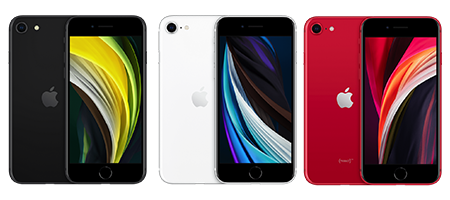
There is Black, White, or Red for you to pick from.
Bonus Perks
It features built-in wireless charging and stereo speakers.
The pros and cons of the Second-generation iPhone SE
The Pros:
It supports iOS 16 and 17.
It has IP67 water resistance, unlike it predecessor.
Just like the iPhone 11 chain (iPhone 11, 11 Pro, and 11 Pro Max), the phone adopts A13 processor.
It is really small and easy to operate in one hand.
It features the familiar and reliable Touch ID fingerprint sensor.
It can hold two SIM cards (one physical nano-SIM and one eSIM).
The Cons:
It retains the smaller 4.7-inch display with thick bezels.
It lacks Face ID facial recognition for authentication.
Battery capacity is small (1821 mAh).
The glass front and back are susceptible to cracking without a protective phone case, this is because it is too fragile.
Lacks a major design overhaul, it looks just like the iPhone 8.
Although it supports iOS 16, it is limited to some minor features like Apple Music Sing available in iOS 16.
The Third-generation iPhone SE
Of course, at this point, you should know the names these phones bear casually. From our countdown, this is also called iPhone SE3. Unveiled by Apple Inc. in March 2022, it shares generation with models like the big boys: iPhone 13, 13 Mini, 13 Pro, and 13 Pro Max — marking the 15th generation of the iPhone lineup. You see, this one is a big catch too! In the sense that whatever internal storage the iPhone 13 series brags of, this one does as well.
Made known to users on March 8 and released on March 18, 2022, the third-generation iPhone SE is currently the final iteration to feature these specifications within the iPhone lineup, although it maintains the same dimensions and form factor as the second-generation iPhone SE, resembling the design of the iPhone 8. A few of its very fine new features include the powerful A15 Bionic system-on-chip, 4GB of RAM, and 5G connectivity to enhance network capabilities.
Image of the Third-generation iPhone SE
Features of the Third-generation iPhone SE
Category
Specifications
Released
Announced on March 8, 2022 and released on March 18, 2022.
Network
GSM, CDMA, LTE (4G), and now, the super-fast 5G.
Body
Same sleek design with a glass front and back, aluminum frame, and fingerprint sensor for security. It’s also still dust and water resistant.
Display
4.7-inch screen, perfect for one-handed use.
Operating System
iOS 15.4, upgradable to iOS 17.4.
Processor
It carries the Apple A15 processor which keeps things running faster, no matter what tasks you throw at it.
Storage
64GB 4GB RAM, 128GB 4GB RAM, 256GB 4GB RAM
Camera
It has a single 12MP rear camera.
Selfie Camera
You can take selfies that will turn heads, or maybe faces with the 7MP front camera.
Battery
A 2018 mAh Li-Ion battery and a fast charging feature.
Colors
You will have to pick from Midnight, Starlight, or the Red.
Bonus Perks
It features built-in wireless charging and stereo speaker. Plus, you get the benefit of the latest positioning systems like GALILEO and BDS.
The pros and cons of the Third-generation iPhone SE
The Pros:
It features the latest A15 processor and 5G connectivity.
Its compact size makes one-hand use a lot easier, plus it is compatible with MagSafe Accessories.
With an IP67 rating, the iPhone SE 3 can resist water up to one meter deep for 30 minutes.
Supports inductive (Qi) charging, a form of wireless charging.
Supports dual SIM with one Nano SIM and one eSIM in most regions.
Supports iOS 17.
The Cons:
Poor battery life.
Lacks Face ID
Yeah yeah, it supports 5G networks, but there are levels to it, it does not support mmWave 5G technology.
No Night Mode for Ultra-Wide Camera.
Has limited Color Options
There are just slight upgrades from the iPhone SE2, yet it is more expensive.
>>External/Internal Design & Functionality Similarities Between iPhone SE 1, 2 and 3<<
iPhone SE 1
iPhone SE 2
iPhone SE 3
Ring settings
Ring/Silent switch
Ring/Silent switch
Ring/Silent switch
Front Audio Calling
FaceTime audio
FaceTime audio
FaceTime audio
FaceTime Audio Calling
Initiate audio calls over cellular or Wi‑Fi to any FaceTime audio-enabled device
Initiate audio calls over cellular or Wi‑Fi to any FaceTime audio-enabled device
Initiate audio calls over cellular or Wi‑Fi to any FaceTime audio-enabled device
SharePlay Integration
Share experiences like movies, TV, music and other apps in a FaceTime call with SharePlay
Share experiences like movies, TV, music and other apps in a FaceTime call with SharePlay
Share experiences like movies, TV, music and other apps in a FaceTime call with SharePlay
Enhanced Audio Calling
Voice over LTE (VoLTE)
Voice over LTE (VoLTE)
Voice over LTE (VoLTE)
Calling Over Wi-Fi
Wi-Fi calling
Wi-Fi calling
Wi-Fi calling
Home button
Yes (Touch ID)
Yes (Touch ID)
Yes (Touch ID)
Sensors
Three-axis gyro
Three-axis gyro
Three-axis gyro
Motion Sensing
Accelerometer
Accelerometer
Accelerometer
Proximity Detection
Proximity sensor
Proximity sensor
Proximity sensor
Light Sensing
Ambient light sensor
Ambient light sensor
Ambient light sensor
Battery
Built-in rechargeable lithium‑ion battery
Built-in rechargeable lithium‑ion battery
Built-in rechargeable lithium‑ion battery
Video Calling
Initiate video calls over cellular or Wi‑Fi to any FaceTime-enabled device
Initiate video calls over cellular or Wi‑Fi to any FaceTime-enabled device
Initiate video calls over cellular or Wi‑Fi to any FaceTime-enabled device
SharePlay Integration
Share experiences like movies, TV, music and other apps in a FaceTime call with SharePlay
Share experiences like movies, TV, music and other apps in a FaceTime call with SharePlay
Share experiences like movies, TV, music and other apps in a FaceTime call with SharePlay
Front Camera
FaceTime HD camera
FaceTime HD camera
FaceTime HD camera
Flash Feature
Retina Flash
Retina Flash
Retina Flash
Safety
Emergency SOS
Emergency SOS
Emergency SOS
Cellular Network Support
GSM/EDGE
GSM/EDGE
GSM/EDGE
Camera
Single camera
12MP Main
Single camera
12MP Main
Single camera
12MP Main
Optical Zoom
0.5x, 1x, 2x, and 5x
0.5x, 1x, 2x, and 5x
0.5x, 1x, 2x, and 5x
Connectivity
Lightning
Supports USB 2
Lightning
Supports USB 2
Lightning
Supports USB 2
>>Differences Between iPhone SE 1, 2, and 3<<
iPhone SE 3
iPhone SE 2
iPhone SE 1
Display
11.94 cm / 4.7″ (diagonal) widescreen LCD display with IPS technology
11.94 cm / 4.7″ (diagonal) widescreen LCD display with IPS technology
10.16 cm / 4″ (diagonal) widescreen LCD display with IPS technology
High-Resolution Display
1334×750-pixel resolution at 326 ppi
1334×750-pixel resolution at 326 ppi
1136×640-pixel resolution at 326 ppi
Enhanced Contrast
1,400:1 contrast ratio (typical)
1,400:1 contrast ratio (typical)
800:1 contrast ratio (typical)
Adaptive Color Technology
True Tone display
True Tone display
_______
Color Accuracy
Wide colour display (P3)
Wide colour display (P3)
Full sRGB standard
Tactile Feedback Technology
Haptic Touch
Haptic Touch
_______
High Brightness Capability
625 nits max brightness (typical)
625 nits max brightness (typical)
500 nits max brightness (typical)
Camera
True Tone flash with Slow Sync
True Tone flash with Slow Sync
True Tone flash
Image Processing Technology
Deep Fusion
_______
_______
PhotoEnhancement
Smart HDR 4 for photos
Smart HDR 2 for photos
HDR for photos
Advanced Photography Modes
Portrait mode with Depth Control
Portrait mode with Depth Control
_______
Advanced Lighting Effects
Portrait Lighting with six effects
Portrait Lighting with six effects
_______
Customized Image Rendering
Photographic Styles
_______
_______
Front Camera
7MP photos
7MP photos
1.2MP photos
Aperture Size
ƒ/2.2 aperture
ƒ/2.2 aperture
ƒ/2.4 aperture
Image Processing Technology
Deep Fusion
_______
_______
Photo Enhancement
Smart HDR 4 for photos
Auto HDR for photos
HDR for photos
Advanced Photography Modes
Portrait mode with Depth Control
Portrait mode with Depth Control
_______
Advanced Lighting Effects
Portrait Lighting with six effects
Portrait Lighting with six effects
_______
Customized Image Rendering
Photographic Styles
_______
_______
Instant Video Capture
QuickTake video
QuickTake video
_______
Steady Video Capture
Cinematic video stabilisation (1080p and 720p)
Cinematic video stabilisation (1080p and 720p)
_______
Width
67.3 mm (2.65″)
67.3 mm (2.65″)
58.6 mm (2.31″)
Height
138.4 mm (5.45″)
138.4 mm (5.45″)
123.8 mm (4.87″)
Depth
7.3 mm (0.29″)
7.3 mm (0.29″)
7.6 mm (0.30″)
Weight
144 g (5.09 oz.)
148 g (5.22 oz.)
113 g (3.99 oz.)
Video Recording
Night mode Time-lapse
_______
_______
Instant Video Capture
QuickTake video
QuickTake video
_______
Steady Video Capture
Optical image stabilisation for video
Optical image stabilisation for video
_______
Stereo Audio
Stereo recording
Stereo recording
_______
Chip
A15 Bionic chip
A13 Bionic chip
A9 chip
CPU Architecture
6-core CPU with 2 performance and 4 efficiency cores
6-core CPU with 2 performance and 4 efficiency cores
_______
GraphicsProcessing
4-core GPU
4-core GPU
_______
Neural Processing
16-core Neural Engine
8-core Neural Engine
_______
Cellular and Wireless
_______
CDMA EV-DO Rev. A (some models)
CDMA EV-DO Rev. A
High-Speed Cellular Connectivity
5G (sub-6 GHz) with 2×2 MIMO
_______
_______
Long-Term Evolution (LTE) Connectivity
LTE Advanced
Gigabit-class LTE
LTE
Wi-Fi Connectivity
Wi‑Fi 6
Wi‑Fi 6
Wi-Fi 5
Bluetooth Connectivity
Bluetooth 5.0
Bluetooth 5.0
Bluetooth 4.2
Location Services
GPS, GLONASS, Galileo, QZSS and BeiDou
GPS/GNSS
GPS/GNSS
SIM Card
Dual SIM
(Two active eSIMs or nano-SIM and eSIM)
Dual SIM
Nano-SIM and eSIM
Nano-SIM
Audio Playback
Stereo playback
Stereo playback
_______
Video Playback
Supports Dolby Vision, HDR10 and HLG
Supports Dolby Vision, HDR10 and HLG
_______
Water and Dust Resistant
Rated IP67 under IEC standard 60529
Rated IP67 under IEC standard 60529
_______
>>Prices<<
The prices below are only for iPhone SE 2 and 3 as iPhone SE 1 is no longer in stock. Although some of them are still available as used ones in local vendor stores, you can call in and ask for their prices.
iPhone SE Model
Internal Storage
Price (N)
iPhone SE 2
64GB
N154,000
”
128GB
N174,000
”
256GB
N212,000
iPhone SE 3
64GB
N250,000
”
128GB
N273,000
”
256
N330,000
Conclusion
Looking at the iPhone SE phones (versions 2 and 3), you might think they’re almost twins! They have the same basic build quality, with a familiar aluminum frame and glass on both sides. The iPhone SE 3 does have tougher glass, though. Also, get it in mind that how many SIM cards these phones can hold depends on where you live.
The iPhone SE series(ranging from the first to last) has always been a great choice for people who want an iPhone without breaking the bank. These phones leaves a mark in a small package, and each version has been a hit.
Sure, there are differences between them, but they all give you the Apple experience at a good price. So, whether you love the classic feel of the first iPhone SE or want the newest features, this line of iPhones is a solid option if you’re looking for an affordable and functional Apple phone.
Top 7 Free JAMB CBT Practice Apps for Android Phones
Preparing for your JAMB exam? Discover 7 free JAMB CBT practice apps for Android. Enhance your scores with ease using these app for Android phones. Find the perfect JAMB CBT practice software to download and practice for your UTME
If you’re a Nigerian student aspiring to ace the Joint Admissions and Matriculations Board (JAMB) Unified Tertiary Matriculation Examination (UTME), then you’re in luck. We’ve scoured the digital landscape to bring you the top 7 free JAMB CBT practice apps for Android phones.
These apps are your secret weapon for JAMB’s success, providing a convenient and efficient way to prepare for this critical examination. Whether you’re a first-time test taker or looking to improve your score, these JAMB CBT practice apps are the tools you need. Stay with us to discover the best apps to download and practice, tailored for Android phones.
Not having any app to rely on when preparing for an exam, especially a CBT exam, can be very exhausting Cause your questions could come from anywhere, and not being able to prepare with the right assistance for the exam could lead to a poor result. Having the right assistance while preparing for an exam can come in different forms, but having a CBT App supersedes all.
CBT stands for Computer Based Test, and this is a computerized assessment app that allows you to test your knowledge on certain subjects which you may offer in school using different questions. CBT has been growing recommendable to students preparing for exams because it has been efficient in helping students tackle most of their hard courses and become more knowledgeable.
Someone may be thinking,”Is there any CBT app for students who what to write jamb?” Well there certainly are well notable app that allow you to prepare for Jamb and we’ll be looking into some of them. These apps are free and do not require the users to pay any money for activation. You get to use them for free or subscribe when you want to go an extra mile in enjoying it’s services.
Also, these free apps for Jamb CBT practice cuts across all science and art subjects which include English, Mathematics, CRS, Government, Commerce, Accounting, Literature, Biology, Chemistry, Physics, Economics, Geography, IRS and so on. They give a detailed explanation to the answers of your questions and the best part about all these is that it’s free.
We will go through some of the best JAMB CBT apps that are free and available for interested users. These apps provide students with past questions, which helps refresh their memories of their course of study. The following include some of the best free Jamb CBT Apps for you.
Explore the best JAMB CBT practice apps for Android. Download free apps to prepare for your JAMB exam, covering all subjects. Improve your scores with these CBT practice apps for Android phones.
Jambite CBT App
Pass.ng CBT App
Flashlearner Jamb App
My school gist CBT App
Myschool Jamb App
03Schools Jamb App
Awajis Jamb CBT App
Let’s get started
1. Jambite CBT App
Jambite CBT is a wonderful app to use when looking for an app that gives you exquisite access to its past question papers and also has tutorial classes for interested persons.
The question papers cut across both science and art courses, which include English, Mathematics, Physics, Biology, Christian Religious Studies, Government, Literature, Chemistry, Economics, Geography and other courses. It comprises over 2000 jamb past questions and detailed answers for you to learn from.
For interested persons who may want to learn further, you get to sign up for the tutorial on the app. Next is Pass.ng CBT Apps
2. Pass.ng CBT Practice App
Pass.ng CBT App is a CBT App that is designed to provide you with lots of past questions that cut across all subjects for the past 10 years and more. It is designed with a Mock session, which gives you preparatory questions before its exam mood.
It gives a detailed explanation as you go through each question, and the best part is that you still get to use it even when you’re offline. All you have to do is download the app, and then you get to enjoy its features for free. Next we have Flashlearner Jamb App.
3. Flashlearner Jamb App
Speaking of one of the best Flashlearner Jamb Apps is one and more. It offers a unique user interface that makes it easy to use the app. It gives you that leverage by practising with any topic of your choice.
It also has a text to voice recognition, allowing you to learn more fun and excitingly. Its other features include: ability to bookmark, it has a built-in calculator and a session that helps you review jamb-recommended novels. Coming up next is the Msgist CBT App.
4. My school gist CBT App
Another amazing jamb CBT App we have here is the Msgist CBT App. This app has 16 subjects with over 10,000+ real and verified past questions that are going to be helpful to you. You get to study by choosing the topic you want to go for first.
It contains an all-subject dictionary, bookmarks and a lot you would enjoy while using the app. Next, we have My School Jamb App.
5. My School Jamb App
This is a must-have as far as CBT Apps are concerned. It offers you an up-to-date latest list of past questions and possible questions. Gives detailed explanations on answers being given to users.
It offers you a unique user interface that allows you to create a profile that gives you the chance to connect to other students from all over. Coming up next is the 03School JAMB app.
6. 03School jamb CBT app
This is yet another amazing app you’ll love to try because it has a robust CBT environment, with an artificial intelligence-based performance analysis where an insightful of your analysis is done.
This app has been built with the same technology that Jamb uses, and it is made for you to understand the terrains of the Jamb CBT environment and practice your way to success. It covers all of the necessary subjects and has a built-in dictionary and lots more that will help you enjoy using the app. Next, we have the Awajis Jamb CBT App.
7. Awajis Jamb CBT App
Awajis Jamb CBT App gives you access to over 10,000+ real jamb past questions and answers. There is a summary of past literature text that was treated in the past.
It doesn’t require a subscription to be able to use it because it is free and is completely offline while still enjoying it’s built-in calculator, bookmark options and a variety of subjects to choose from.
We have been through all the apps listed above, and we hope you make a perfect pick that suits your taste. It is important to note that all the apps we reviewed are free, but some still have premium versions, which you can subscribe to if you want to explore and enjoy its wonderful features that you’re yet to try.
All these apps are different and should not be compared because they each stand out differently. With that said every JAMB CBT Practice App, as reviewed here, is unique and creatively loaded with interesting features that could wow you.
Conclusion
In conclusion, we’ve uncovered a treasure trove of free JAMB CBT practice apps designed specifically for Android phones. With these apps, you have the power to sharpen your skills, increase your confidence, and maximize your performance on the JAMB UTME.
Don’t miss out on the opportunity to utilize JAMB CBT practice apps for Android and enhance your preparation for the exam. These apps are your companions on the journey to success, offering a comprehensive and user-friendly way to practice and refine your knowledge.
So, make the smart choice today by exploring the world of JAMB CBT practice for Android with these free, top-notch apps to download. Get ready to excel in your JAMB UTME with the power of technology at your fingertips! I hope this article was helpful to you, till next time.
Do you know any other JAMP UTME practice app for Android phones? Kindly let us know in the comment section.
Frequently Asked Questions
What is the free app for JAMB CBT practice?
One of the popular free apps for JAMB CBT practice is the JAMB CBT + WAEC Past Questions app, owned by MySchool Limited, which is readily available for download on Android smartphones.
What app can I use to practice for jamb?
You can use the JAMB CBT + WAEC Past Questions app to effectively practice for the JAMB UTME. This app is designed to help you prepare for the examination by providing mock tests and questions to practice with.
How can I download JAMB CBT practice on my laptop?
To download JAMB CBT practice software on your laptop, you’ll need to search for and install an emulator like BlueStacks or NoxPlayer, which allows you to run Android apps on your computer. After installing the emulator, you can then access the Google Play Store through it, search for the “JAMB CBT Practice” app, and download any of the CBT Apps you prefer on your laptop.
What is the app for JAMB questions and answers?
While there are various apps and websites that provide JAMB questions and answers, it’s important to note that JAMB discourages the use of unauthorized sources for exam preparation. The official JAMB UTME questions are not publicly available in advance.
It’s recommended to use official JAMB resources and accredited CBT practice apps for your preparation to ensure you are fully aligned with the exam’s content and standards.
We wish you the best as you prepare for your JAMB UTME 2024/2025